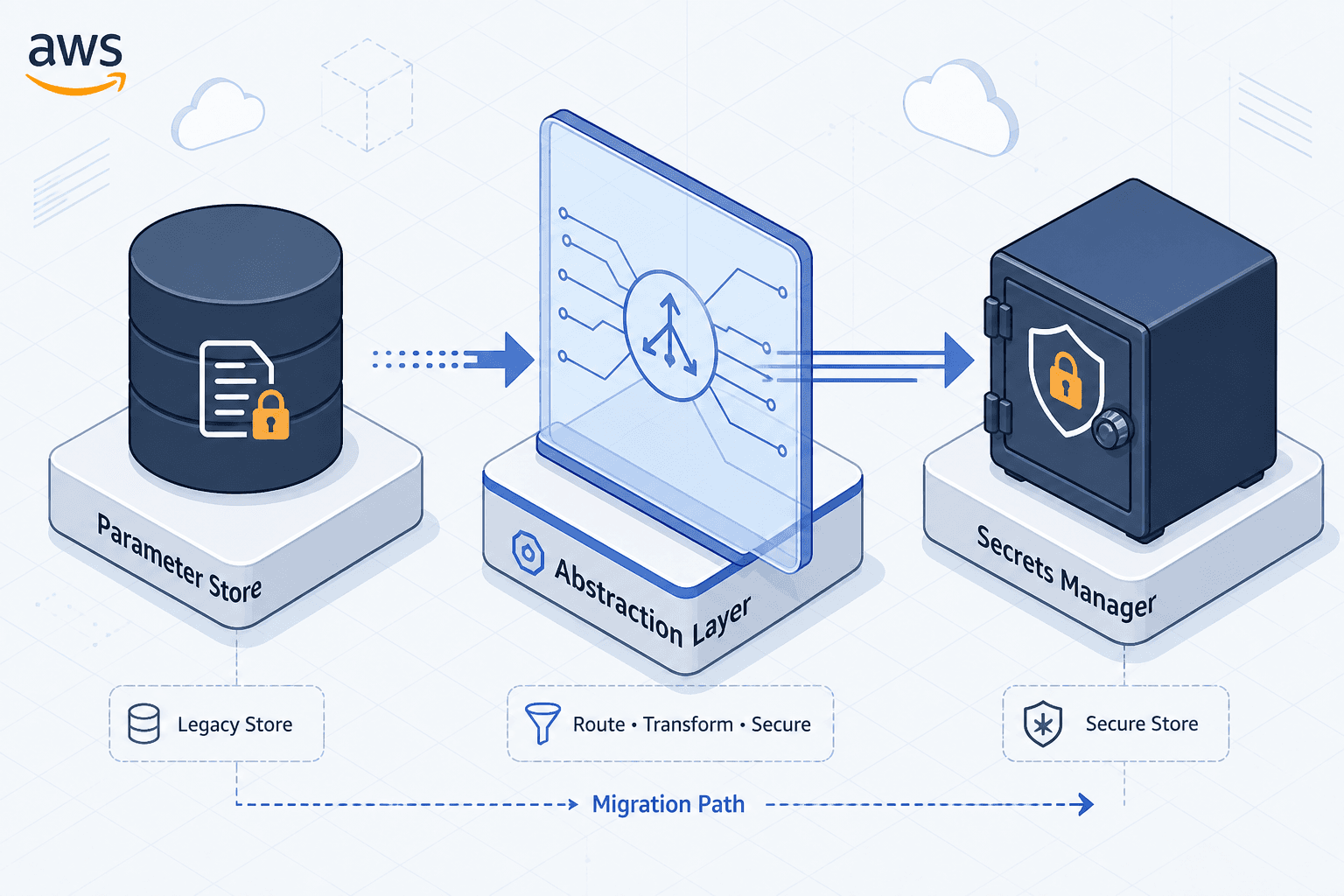
Migrating Between Parameter Store and Secrets Manager
A practical guide for cloud engineers on migrating from AWS Parameter Store to Secrets Manager, covering IAM policies, cutover strategies, and abstraction layers.
For platform engineers managing AWS infrastructure, the decision to migrate from Systems Manager Parameter Store (SSM PS) to Secrets Manager often stems from the need for automated rotation, finer-grained access control, and tighter integration with AWS services like RDS and Aurora. However, this is not a simple copy-paste operation. It is an architectural shift from a static configuration store to a dynamic secret lifecycle service.
This guide is Part 7 of the AWS Secrets and Key Management series. The migration process involves three critical mechanisms: understanding the behavioral differences in API interactions, refactoring IAM policies to enforce least privilege, and implementing an abstraction layer to ensure zero-downtime cutover.
The Architectural Divergence
Before moving data, you must understand how the two services handle secret retrieval differently. SSM PS treats parameters as key-value pairs. When you call ssm:GetParameter, you retrieve a string. If you use WithDecryption=true, AWS decrypts the value using a KMS key on the fly. The decryption happens at the time of the read, but there is no built-in lifecycle management.
Secrets Manager, by contrast, treats secrets as managed resources. The API call secretsmanager:GetSecretValue returns the secret string, but the service also maintains metadata about the secret, such as its version, rotation status, and last rotation date. More importantly, Secrets Manager integrates directly with Lambda for rotation. If you store a database password in SSM PS, you must build and maintain a custom Lambda function to rotate it. In Secrets Manager, you attach a rotation Lambda, and the service orchestrates the rotation automatically.
This difference means that applications expecting static, always-available parameters may break if they are not prepared for the additional metadata and potential latency introduced by Secrets Manager's richer feature set. From a security perspective, this migration significantly improves your posture by enabling automated credential rotation and reducing the blast radius of compromised static secrets through stricter least-privilege access controls.
IAM Policy Transformation
The most immediate operational change occurs in your IAM policies. SSM PS permissions are often granted broadly because the parameter name can be complex. Secrets Manager requires explicit actions for every operation.
Consider an application that reads a database password. In SSM PS, the IAM policy might look like this:
{
  "Effect": "Allow",
  "Action": [
    "ssm:GetParameter",
    "ssm:GetParametersByPath"
  ],
  "Resource": "arn:aws:ssm:us-east-1:123456789012:parameter/myapp/db/password"
}
When migrating to Secrets Manager, you must replace these actions with specific Secrets Manager actions. You also need to account for the KMS key used for encryption. Secrets Manager uses a service-managed key by default, but if you use a customer-managed key (CMK), you must grant kms:Decrypt and potentially kms:GenerateDataKey.
{
  "Effect": "Allow",
  "Action": [
    "secretsmanager:GetSecretValue",
    "secretsmanager:DescribeSecret"
  ],
  "Resource": "arn:aws:secretsmanager:us-east-1:123456789012:secret:myapp/db/password-*"
}
Note the use of DescribeSecret. This action lets you inspect metadata about the secret, such as its version ID or rotation status. GetSecretValue itself returns the VersionId in its response, so DescribeSecret is only needed for metadata inspection, not for retrieving the secret value itself. If you are using a CMK, add:
{
  "Effect": "Allow",
  "Action": [
    "kms:Decrypt",
    "kms:GenerateDataKey"
  ],
  "Resource": "arn:aws:kms:us-east-1:123456789012:key/<your-kms-key-id>"
}
The Abstraction Layer Strategy
A big-bang migration, where you update all applications simultaneously, introduces significant risk. A safer approach is to implement an abstraction layer that allows your applications to read from either source transparently. This pattern is often called a "read-through cache" or "fallback loader."
Create a utility function or environment variable loader that attempts to fetch the secret from Secrets Manager first. If that fails (e.g., the secret does not yet exist in Secrets Manager, or the IAM policy is not yet applied), it falls back to SSM PS. This abstraction allows you to migrate applications incrementally. You can start by creating the secrets in Secrets Manager for new services while existing services continue to use SSM PS. As you update each service, you switch the abstraction layer to prioritize Secrets Manager. Once all services have been migrated, you can remove the fallback logic.
import boto3
import os

def get_secret(secret_name):
    # Try Secrets Manager first
    try:
        client = boto3.client('secretsmanager', region_name='us-east-1')
        response = client.get_secret_value(SecretId=secret_name)
        return response['SecretString']
    except client.exceptions.ResourceNotFoundException:
        # Secret doesn't exist yet, fall back to SSM
        pass
    except client.exceptions.AccessDeniedException as e:
        # Security issue: do not fall back, log and raise
        print(f"Access denied to Secrets Manager: {e}")
        raise

    # Fallback to SSM Parameter Store
    try:
        ssm_client = boto3.client('ssm', region_name='us-east-1')
        response = ssm_client.get_parameter(
            Name=f'/myapp/{secret_name}',
            WithDecryption=True
        )
        return response['Parameter']['Value']
    except Exception as e:
        raise Exception(f"Failed to get secret from both sources: {e}")

# Usage
password = get_secret('db/password')
Data Migration and Rotation Setup
With the abstraction layer in place, you can begin migrating the actual data. Use the AWS CLI or SDK to copy parameters from SSM PS to Secrets Manager. Ensure you preserve the encryption context and version history if applicable. This process fits well into DevOps pipelines, allowing infrastructure-as-code tools to manage the transition systematically rather than manually.
aws secretsmanager create-secret \
    --name myapp/db/password \
    --secret-string "$(aws ssm get-parameter --name /myapp/db/password --with-decryption --query Parameter.Value --output text)"
After copying the data, you must configure rotation if the secret is a credential. Secrets Manager provides built-in rotation templates for many services, including Amazon RDS. Attach the rotation Lambda to the secret using the console or CLI.
aws secretsmanager rotate-secret \
    --secret-id myapp/db/password \
    --rotation-lambda-arn arn:aws:lambda:us-east-1:123456789012:function:SecretsManagerRotation \
    --rotation-rules AutomaticallyAfterDays=30
Note that SSM PS parameters do not support automatic rotation. If you were using a custom Lambda to rotate SSM PS parameters, you must rewrite that logic to work with Secrets Manager's rotation framework. The Secrets Manager rotation model is more robust, as it handles versioning and tracking of previous secret versions automatically.
Conclusion
Migrating from SSM PS to Secrets Manager is a strategic move that enhances security through automated rotation and finer-grained IAM controls. However, it requires careful planning. By understanding the API differences, refactoring IAM policies, and implementing an abstraction layer for gradual cutover, you can ensure a smooth transition without disrupting production workloads. The key is to treat this as a phased migration, leveraging the abstraction layer to decouple the data movement from the application deployment cycle.
Related posts
IRSA vs EKS Pod Identity: Architecture, Trust, and Tradeoffs
Compare IRSA and EKS Pod Identity for securing Kubernetes workloads on AWS. Learn how service accounts, trust policies, and STS sessions differ in implementation and best practices.
Automatic Secret Rotation With Lambda
Learn how to implement automatic secret rotation using AWS Lambda and Secrets Manager to enhance security for database credentials.
KMS vs Secrets Manager: Different Jobs
Understand the distinct roles of AWS KMS and Secrets Manager for secure key management and secret storage in cloud infrastructure.