Upgrading to Spring Boot 3: Jakarta, Java 17, and What Breaks
A practical guide to migrating to Spring Boot 3, covering the Jakarta EE namespace shift, Java 17 requirements, and common breaking changes.
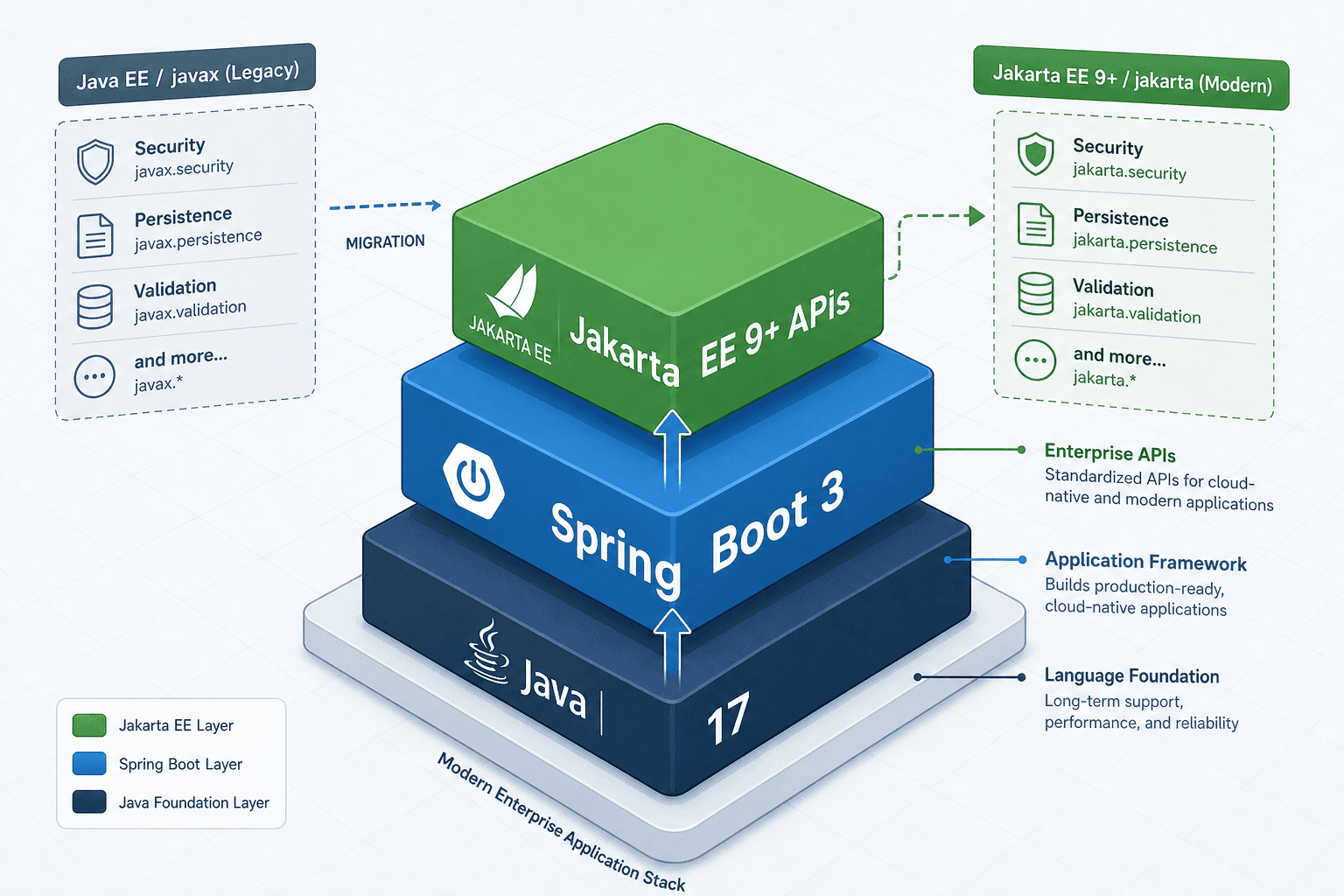
Migrating to Spring Boot 3.0 is often mischaracterized as a simple dependency update. In reality, it is a fundamental restructuring of the Java backend ecosystem. The release introduces two non-negotiable prerequisites: Java 17 as the minimum runtime and the adoption of Jakarta EE 9+ namespaces. This shift severs the historical link between Java EE and the javax.* package structure, forcing developers to refactor code, dependencies, and configuration files. This guide details the mechanical steps required to navigate these changes without breaking production systems.
The Java 17 Baseline
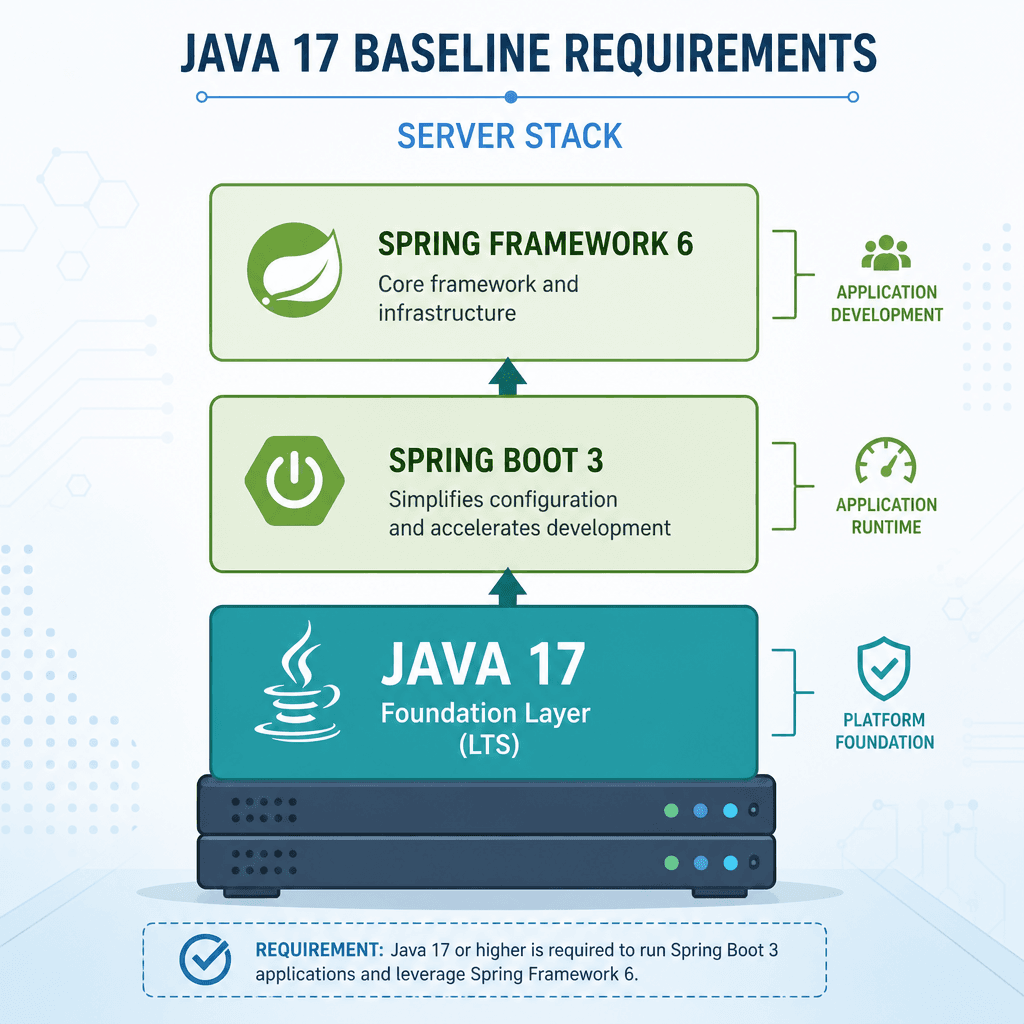
Spring Boot 3.0 drops support for Java 8 and Java 11, setting Java 17 as the minimum version. This is not arbitrary; Spring Framework 6 leverages Java 17 language features to reduce boilerplate and improve type safety. A successful dependency upgrade to Java 17 is the first step in this process.
Mechanism: Bytecode Compatibility and Toolchain Configuration
When you compile Java code, the compiler produces bytecode compatible with specific JVM versions. By targeting Java 17, Spring Boot 3 ensures that all internal components utilize modern language features. For your project, this means the build tool must be explicitly configured to target Java 17. A dependency upgrade to Java 17 involves configuring the build toolchain to ensure consistent compilation across environments.
In Maven, this is handled via the maven-compiler-plugin or the spring-boot-maven-plugin:
<properties>
    <java.version>17</java.version>
</properties>
In Gradle:
java {
    sourceCompatibility = JavaVersion.VERSION_17
    targetCompatibility = JavaVersion.VERSION_17
}
If your CI/CD pipeline runs on Java 8 or 11, the build will fail immediately. You must ensure the JDK used for compilation and execution is Java 17 or higher. This enables the use of Java 17 features in your own codebase, such as record classes for immutable data carriers and sealed classes for controlled inheritance hierarchies.
The Jakarta EE Namespace Shift
The most significant breaking change is the migration from javax.* to jakarta.*. The governance of Java EE specifications transferred from Oracle to the Eclipse Foundation with Jakarta EE 8, which still utilized the javax.* namespace. The distinct namespace shift to jakarta.* occurred with the release of Jakarta EE 9 in 2020 to avoid confusion with the existing Java EE 8 platform. A dependency upgrade in this context is not just about version numbers but also about these fundamental namespace changes.
Mechanism: Binary Incompatibility
This is not a simple rename. The classes in javax.servlet and jakarta.servlet are distinct binaries. A dependency upgrade to Spring Boot 3 requires careful handling of binary incompatibilities because the expected package structure no longer exists on the classpath if you haven't migrated. If your application code imports javax.servlet.http.HttpServletRequest but your classpath contains Spring Boot 3 (which depends on Tomcat 10+ or Jetty 11+, both of which use jakarta.servlet), the JVM will throw a ClassNotFoundException or NoClassDefFoundError at runtime.
Affected Packages
You must refactor imports in your source code. Common shifts include:
Old Package (javax) | New Package (jakarta) |
|---|---|
javax.servlet.* | jakarta.servlet.* |
javax.persistence.* | jakarta.persistence.* |
javax.validation.* | jakarta.validation.* |
javax.annotation.* | jakarta.annotation.* |
javax.transaction.* | jakarta.transaction.* |
Automated Refactoring Strategy
Manually updating hundreds of imports is error-prone. Use your IDE's refactoring tool (IntelliJ IDEA or Eclipse) to "Rename" or "Replace" packages. Automated refactoring tools can assist with a dependency upgrade by identifying incompatible dependencies and suggesting replacements. Alternatively, use the Spring Boot Migration Tool if available in your build plugin.
For Maven, the spring-boot-maven-plugin can assist in identifying incompatible dependencies, but manual code refactoring is often required for custom business logic that directly references javax classes.
Breaking Changes in Spring Framework 6.x
Spring Boot 3 is built on Spring Framework 6.0, which introduces its own set of breaking changes beyond the Jakarta namespace.
Spring Security 6.x
Spring Security 6.0 aligns with the Jakarta migration and introduces stricter default behaviors. A dependency upgrade to Spring Security 6.x brings stricter default behaviors that require explicit configuration for many previously open endpoints. One major change is the removal of default security configurations that previously allowed unrestricted access to certain endpoints.
Example: WebSecurityConfigurerAdapter
In Spring Security 5, developers often extended WebSecurityConfigurerAdapter to configure security. This class is now deprecated and removed in Spring Security 6. The new mechanism requires using SecurityFilterChain beans.
Old Approach (Spring Boot 2.x):
@Configuration
@EnableWebSecurity
public class SecurityConfig extends WebSecurityConfigurerAdapter {
    @Override
    protected void configure(HttpSecurity http) throws Exception {
        http.authorizeRequests()
            .antMatchers("/public/**").permitAll()
            .anyRequest().authenticated();
    }
}
New Approach (Spring Boot 3.x):
@Configuration
@EnableWebSecurity
public class SecurityConfig {
    @Bean
    public SecurityFilterChain filterChain(HttpSecurity http) throws Exception {
        http.authorizeHttpRequests()
            .requestMatchers("/public/**").permitAll()
            .anyRequest().authenticated()
            .and()
            .formLogin();
        return http.build();
    }
}
This change enforces a more functional, bean-based configuration model, improving testability and reducing coupling.
Dependency Management and Testing
Maven/Gradle Dependency Updates
Ensure all third-party libraries are compatible with Jakarta EE 9+ and Java 17. Libraries that still depend on javax.* will cause conflicts. For example, older versions of Hibernate ORM may need upgrading to Hibernate 6.x, which uses jakarta.persistence. A successful dependency upgrade requires verifying that all third-party libraries are compatible with Jakarta EE 9+ and Java 17.
Maven Example:
<dependency>
    <groupId>org.springframework.boot</groupId>
    <artifactId>spring-boot-starter-data-jpa</artifactId>
    <!-- Ensure this pulls Hibernate 6.x -->
</dependency>
Testing Implications
Your test suite must also run on Java 17. Additionally, if you use mock frameworks like Mockito, ensure they support Java 17's strong encapsulation features. A dependency upgrade of testing frameworks like Mockito is necessary for Java 17 compatibility, specifically requiring Mockito 5+.
Conclusion
Upgrading to Spring Boot 3 requires a systematic approach:
- Upgrade JDK: Set Java 17 as the minimum in your build configuration.
- Refactor Code: Replace all
javax.*imports withjakarta.*. - Update Dependencies: Ensure libraries like Hibernate, Spring Security, and testing frameworks are at versions compatible with Jakarta EE 9+ and Java 17.
- Refactor Security Config: Migrate from
WebSecurityConfigurerAdaptertoSecurityFilterChainbeans. - Run Tests: Validate that all tests pass under the new runtime and configuration models.
A comprehensive dependency upgrade is key to avoiding runtime errors during this migration. This process is painful but necessary. It aligns your application with the modern Java ecosystem, leveraging newer language features and standardized APIs that will be supported for years to come.
Related posts
Spring Security 6 and Spring Boot 3: Migration Guide
A practical walkthrough for migrating applications to Spring Security 6 and Spring Boot 3, covering Jakarta EE transitions and essential security steps.
Spring Security 6 Migration: Method Security Guide
A practical guide for Java developers migrating to Spring Security 6, covering enableMethodSecurity, @PreAuthorize, AOP, and self-invocation pitfalls.
Implementing Mutual TLS in Spring Boot Applications
A guide on configuring mutual TLS and X.509 authentication within Spring Boot applications for enhanced certificate-based security.
