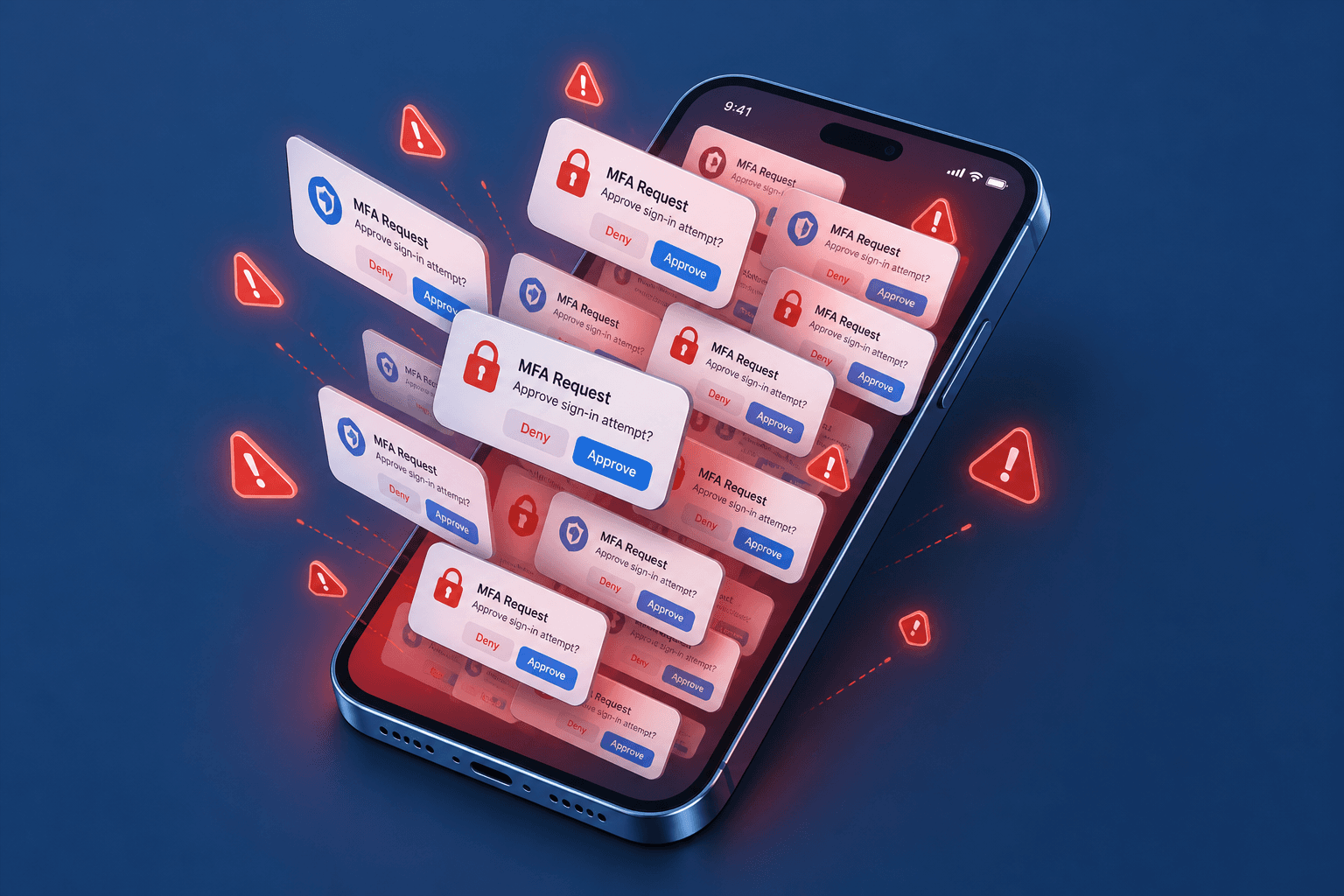
MFA Fatigue and Push Bombing Attacks
An examination of MFA fatigue and push bombing attacks, detailing detection methods and rate limiting strategies for security engineers.
Multi-Factor Authentication (MFA) is widely considered the single most effective control against account takeover, yet it introduces a critical new attack surface: the human operator. MFA fatigue, also known as push bombing or MFA bombing, is a social engineering vector where an adversary generates a high volume of MFA requests to overwhelm the target user. The objective is not to cryptographically break the second factor, but to exhaust the user’s patience, inducing a state of alert fatigue that leads them to approve a malicious authentication request simply to silence the constant interruptions.
This article examines the mechanics of push bombing, outlines detection strategies based on request velocity and context, and details the rate-limiting strategies required to mitigate these attacks without degrading the user experience for legitimate traffic.
The Mechanism of MFA Fatigue
To understand the defense, we must first model the attack. In a typical MFA flow, a user enters their username and password. If valid, the Identity Provider (IdP) triggers a second factor. In the case of push-based MFA (e.g., Microsoft Authenticator, Okta Verify), this results in a notification sent to the user’s mobile device.
In a push bombing attack, the attacker already possesses the victim’s username and password, likely obtained via a credential dump or phishing campaign. The attacker then automates repeated login attempts using these credentials. Each successful authentication step triggers a new push notification or SMS code.
The psychological mechanism here is alert fatigue. Users are conditioned to ignore spam, but a continuous stream of urgent security alerts creates cognitive dissonance. The user begins to perceive the MFA prompt not as a security checkpoint, but as a nuisance. Eventually, the user approves a request not because they recognize the login, but because they want the notifications to stop. This is often referred to as the "nuisance approval" vector.
This attack vector has become increasingly prevalent as MFA adoption grows. The attacker does not need to break the cryptographic challenge; they only need to break the user’s attention span.
Detection Strategies for MFA Fatigue
Detecting MFA fatigue requires moving beyond simple credential validation and analyzing the velocity and context of authentication events. Traditional SIEM rules that alert on a single failed login are insufficient. Instead, security engineers must implement anomaly detection based on request frequency.
1. Request Velocity Analysis
The primary indicator of push bombing is an abnormally high number of MFA challenges within a short time window. For example, if a user receives more than 5–10 MFA push notifications or SMS codes within a 5-minute period, this is a strong signal of an attack.
Implement this by tracking the count of MFA_CHALLENGE events per user identity within a sliding time window. If the count exceeds a defined threshold, trigger an immediate block and alert the security operations center (SOC).
# Pseudocode for velocity check
def check_mfa_velocity(user_id, timestamp):
    recent_challenges = get_recent_challenges(user_id, window_minutes=5)
    if len(recent_challenges) > THRESHOLD:
        block_user(user_id)
        alert_soc(f"MFA fatigue detected for {user_id}")
        return False
    return True
2. Device and Geolocation Anomalies
Legitimate users rarely authenticate from multiple geolocations or devices in rapid succession. If the MFA challenge originates from an IP address in a different country than the user’s historical baseline, or from a device fingerprint not associated with the user, this increases the confidence score of an attack.
Combine velocity data with context. A high volume of requests from a single static IP is suspicious. A high volume of requests from distributed IPs may indicate a botnet or compromised proxy infrastructure.
3. User Behavior Analytics (UBA)
Implement behavioral baselines. If a user typically authenticates from New York and London, but suddenly receives 50 push notifications from IPs in Russia, China, and Brazil within an hour, this is a clear anomaly. Use machine learning models to score the likelihood of compromise based on deviation from historical patterns.
Mitigation and Rate Limiting for Push Attacks
Detection is only half the battle. You must also implement controls that prevent the attack from succeeding or reduce its impact. Rate limiting is essential, but it must be implemented carefully to avoid denying service to legitimate users who may have legitimately forgotten their credentials or are traveling.
1. Exponential Backoff and Throttling
Instead of immediately blocking the user, implement exponential backoff. After the first few failed or suspicious MFA challenges, increase the delay between subsequent challenges. This slows down the attacker while allowing a legitimate user who is struggling with their credentials to eventually succeed.
For example:
- Attempt 1-5: Immediate response.
- Attempt 6-10: 30-second delay.
- Attempt 11+: 5-minute delay or CAPTCHA challenge.
2. CAPTCHA Integration
Integrate CAPTCHA (e.g., reCAPTCHA, hCaptcha) after a certain number of MFA challenges. This adds a friction layer that distinguishes humans from bots. While sophisticated attackers can bypass CAPTCHAs, it raises the cost of the attack significantly.
3. Number Matching and Push Approval Windows
Technical controls within the MFA provider can mitigate fatigue. Number matching requires the user to enter a number displayed in the push notification into the app. This prevents "approve all" attacks where the user blindly approves requests.
Additionally, implement push approval windows. If a push notification is not acted upon within a short timeframe (e.g., 30 seconds), it expires. This reduces the window of opportunity for the user to accidentally approve a malicious request due to fatigue.
4. Notification Suppression
Allow users to configure notification preferences. If a user detects an attack, they should be able to temporarily disable MFA push notifications for a specific account or globally. This is a last-resort mitigation but empowers users to regain control.
Conclusion
MFA fatigue exploits the human element of security, turning a strength (MFA) into a vulnerability through psychological manipulation. Security engineers must respond with effective detection mechanisms that analyze request velocity and context, combined with rate-limiting strategies that balance security with usability. By implementing exponential backoff, CAPTCHA integration, and number matching, organizations can significantly reduce the risk of push bombing attacks while maintaining a positive user experience.
The key takeaway is that MFA is not a silver bullet. It requires continuous monitoring and adaptive controls to defend against evolving social engineering tactics like mfa bombing.
Related posts
acr_values and amr: Requesting Authentication Strength
Explore how acr_values and amr claims define authentication strength in OpenID Connect, enabling step-up authentication and MFA enforcement.
Building Your Own Identity Provider: What It Really Costs
An examination of the hidden costs, maintenance burden, and security risks involved in building a custom identity provider versus buying a solution.
SAML Metadata Exchange and Trust Establishment
A technical examination of SAML metadata exchange, covering trust establishment, entity descriptors, certificate rollover, and metadata refresh mechanisms.
