Why Passwords Are Finally Losing | WebAuthn Guide
An examination of why passwordless authentication is replacing traditional passwords due to phishing resistance and security improvements.
Why Passwords Are Finally Losing
The death of the password is not a marketing slogan; it is a cryptographic inevitability. For decades, the web has relied on a single, fragile secret: a string of characters memorized by a human and verified by a server. This model assumes that the only way to compromise an account is to guess the secret or steal it directly. That assumption collapsed years ago.
Today, the primary threat vectors—credential stuffing and phishing—operate at a scale and efficiency that human memory cannot defend against. The industry is shifting toward passwordless authentication, specifically via the W3C Web Authentication (WebAuthn) standard, because it moves the security boundary from the user’s mind to the device’s hardware. This is not just a UX improvement; it is a fundamental change in how trust is established between a client and a server.
The Mechanism of Password Failure
To understand why passwords are failing, we must look at the two mechanisms that break them: reuse and deception.
Credential Stuffing exploits the fact that humans are terrible at generating unique secrets. When Site A suffers a breach, attackers take those credentials and try them on Site B, Site C, and Site D. The mechanism here is simple: the attacker doesn’t need to hack the target; they just need to reuse stolen data. The target’s authentication server has no way to distinguish between a legitimate user logging in and a bot script trying millions of username/password pairs per minute.
Phishing is more sophisticated. It involves creating a fake login page that mimics the target. The user voluntarily enters their password. The mechanism here is UI redressing: the attacker captures the secret in real-time.
The scale is staggering. Industry breach reports consistently show that phishing is one of the leading causes of data breaches. Passwords are the single point of failure because they are transferable. If you type your password into a fake site, you have handed the attacker the key. There is no cryptographic proof that the request came from the legitimate site.
Enter WebAuthn: Public-Key Cryptography at Scale
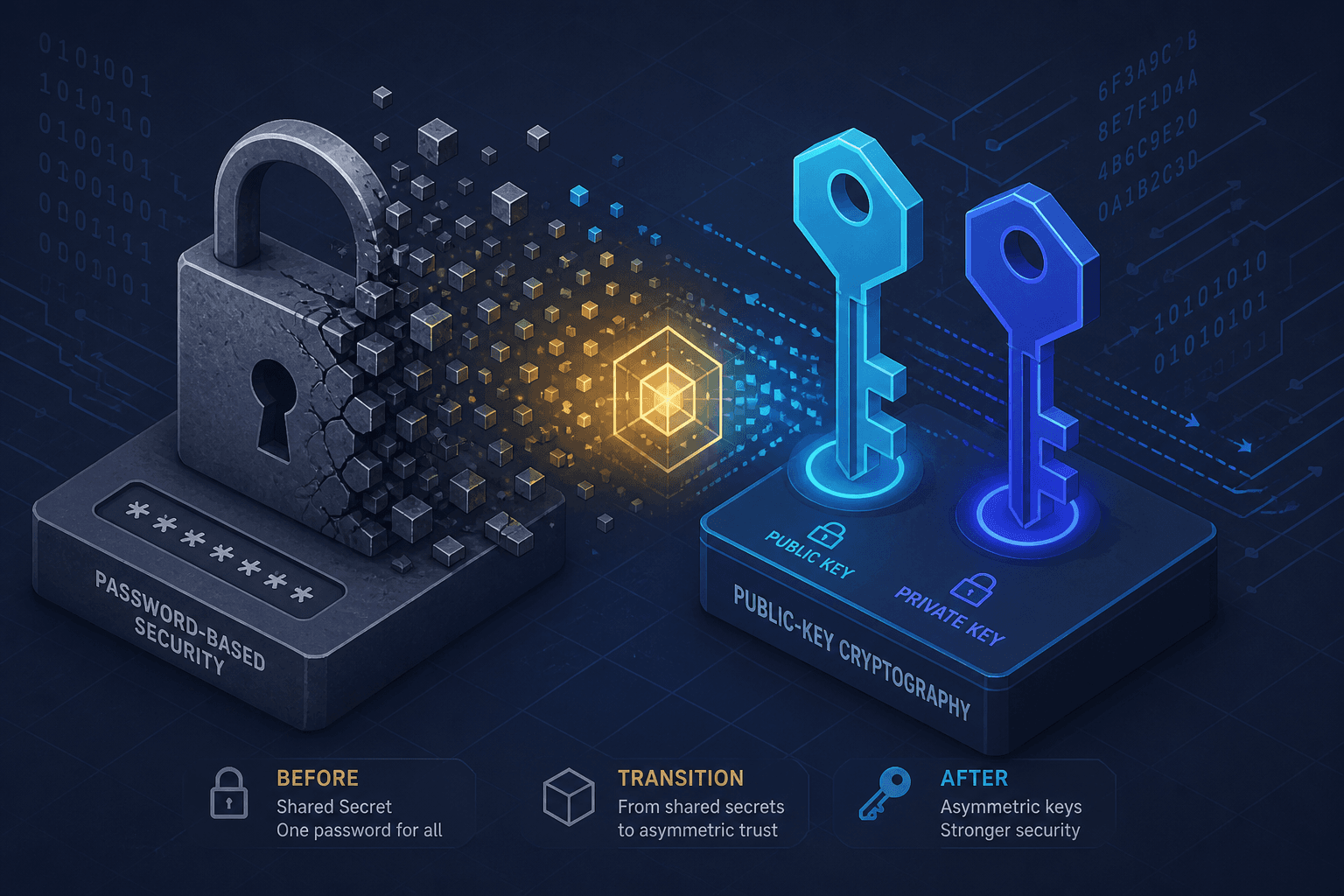
The Web Authentication specification (WebAuthn) replaces the shared secret with a public-key cryptography pair. This is the same cryptographic principle behind SSL/TLS certificates, but applied to user authentication.
Here is the mechanism:
- Registration: When a user registers a passkey (or FIDO2 key) with a service, their device generates a new, unique asymmetric key pair. The private key is stored securely in the device’s Trusted Execution Environment (TEE) or Secure Enclave. It never leaves the device. The public key is sent to the server and stored in the database associated with the user’s account.
- Authentication: When the user logs in, the server sends a challenge—a random piece of data. The user’s device signs this challenge with the private key. The server verifies the signature using the stored public key.
This creates a critical asymmetry. Even if the server is breached, the attacker only gets public keys. As established by cryptographic principles, public keys are useless for impersonating the user without the corresponding private key. The attacker cannot "crack" the password because there is no password to crack. They cannot reuse the key because each site gets a unique key pair.
Phishing Resistance: The Origin Binding Mechanism
The most significant technical advantage of WebAuthn is its inherent resistance to phishing. This is achieved through Relying Party ID binding.
During the authentication process, the browser’s WebAuthn API checks the rp.id (Relying Party Identifier) of the current page. Let’s say you are trying to log into bank.com. The server requests an assertion for rp.id: "bank.com".
The authenticator (your phone or security key) looks at the request. It sees that the request is coming from fake-bank.evil.com but is asking for a signature for bank.com. The authenticator refuses to sign the challenge. It displays a warning or simply returns an error.
Why does this work? Because the authenticator trusts the TLS certificate of the browser. The browser enforces the same-origin policy. The authenticator does not trust the user’s eye; it trusts the cryptographic identity of the domain.
This is a hard guarantee. A phishing site cannot trick a FIDO2 authenticator into signing a challenge for a different domain. The attacker can host a perfect clone of the login page, but the authentication request will never be signed. The attack fails at the protocol level, not the user level.
Implementation Tradeoffs and Developer Reality
For developers, moving to passwordless authentication requires rethinking the authentication flow. You are no longer managing a database of hashed passwords. You are managing a database of public keys and credential IDs.
The API flow is distinct:
-
Registration:
- Server sends a
PublicKeyCredentialCreationOptionsobject. - Browser prompts the user (via OS-level UI) to create a new credential.
- Browser returns a
PublicKeyCredentialobject containing the public key and metadata. - Server stores the public key and the
credentialId.
- Server sends a
-
Authentication:
- Server sends a
PublicKeyCredentialRequestOptionsobject with a challenge. - Browser prompts the user to verify their presence (biometric, PIN, or platform authenticator).
- Browser returns an
AuthenticatorAssertionResponsecontaining the signature. - Server verifies the signature against the stored public key.
- Server sends a
There are tradeoffs. First, user recovery becomes harder. If a user loses their device, they cannot simply reset their password. They need a backup mechanism, such as backup codes or multiple registered devices. This shifts the burden of account recovery from "I forgot my password" to "I lost my device," which is a higher friction point but arguably more secure.
Second, cross-platform compatibility can be tricky. While WebAuthn is supported in all modern browsers (as noted by MDN Web Docs), the underlying authenticators vary. Some rely on platform authenticators (TouchID, FaceID, Windows Hello), while others rely on roaming authenticators (YubiKeys). Developers must handle cases where a user tries to log in from a device that doesn’t support their preferred authenticator.
Conclusion
The shift to passwordless authentication is not about convenience alone. It is about closing the largest attack surface in cybersecurity: the human user. By removing the password, we remove the ability to phish, the ability to stuff, and the ability to reuse.
The technology is mature. The W3C Web Authentication specification is a W3C Recommendation, and major providers like Apple, Google, and Microsoft have built strong support for it. The question for engineers is no longer if we should move to passwordless, but how fast we can migrate our existing user bases without breaking access.
The era of the shared secret is ending. The era of the bound public key has begun.
Related posts
Implementing WebAuthn in Keycloak: Passkey Authentication Setup
A walkthrough for configuring WebAuthn and passkeys within Keycloak to enable passwordless authentication using FIDO2 standards.
Passkeys Guide: Google, Apple, Microsoft Ecosystems
A technical guide to implementing passkeys across Google, Apple, and Microsoft ecosystems using WebAuthn for cross-device synchronization.
Magic Links: Design, Threats, and Session Binding
An examination of magic link authentication design, security threats, and session binding techniques for backend developers.