Enabling TLS and mTLS in Spring Boot
A practical guide to configuring TLS and mutual TLS (mTLS) in Spring Boot using SSL bundles and server.ssl properties for secure communication.
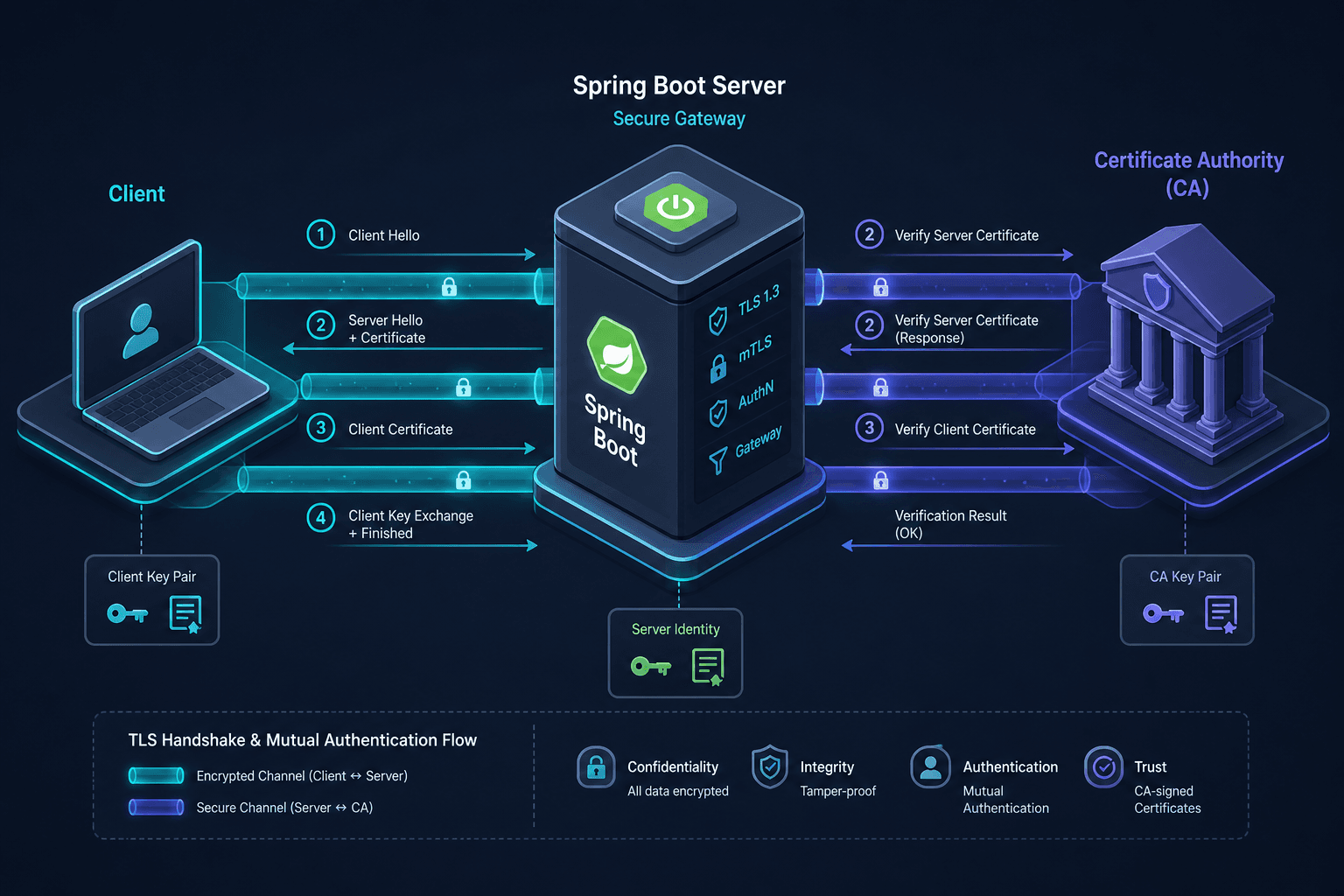
When you configure Spring Boot to speak HTTPS, you are not just turning on encryption; you are configuring a state machine that validates identity at two levels. The first level, Transport Layer Security (TLS), ensures that data moving between the client and server cannot be intercepted or tampered with by a third party. The second level, Mutual TLS (mTLS), adds a critical constraint: the server must also verify the identity of the client before processing any request.
This article is Part 3 of the mTLS With Spring Boot series.
In earlier versions of Spring Boot, this was handled through a flat set of server.ssl.* properties. As the ecosystem grew, this approach became brittle—managing separate keystores for different environments or different internal services required duplicating configuration and risking misconfiguration. Spring Boot 3.1+ introduced SSL Bundles to solve this. Bundles allow you to define a named configuration for a trust store or key store and reuse it across servers, clients, and other components. This guide explains the mechanism of these bundles and how to enable mTLS.
The Mechanism: SSLContext and Trust Stores
Before looking at configuration, it is essential to understand what Spring Boot is building under the hood. When a Spring Boot application starts an embedded Tomcat, Jetty, or Undertow server, it creates an SSLContext. This context holds the cryptographic keys and certificates required to perform the TLS handshake.
For a standard HTTPS server, the server needs:
- A Key Store: Containing the server’s private key and its own certificate (signed by a Certificate Authority or self-signed).
- A Trust Store: Containing the certificates of Certificate Authorities (CAs) that the server trusts to sign client certificates.
In mTLS, the server’s Trust Store becomes critical. If a client presents a certificate during the handshake, the server checks that certificate against its Trust Store. If the client’s certificate is not signed by a CA in that store, the handshake fails, and the connection is rejected. This is the mechanism of mutual authentication, a key aspect of security in microservices architectures.
From Monolithic Properties to Modular Bundles
The legacy way to configure TLS was using properties like server.ssl.key-store, server.ssl.trust-store, and server.ssl.key-password. While functional, this tied the certificate paths directly to the server configuration. If you wanted to use the same trust store for an RestTemplate or a gRPC client, you had to duplicate the path and password in multiple places.
SSL Bundles decouple the definition of the certificate material from its usage. You define a bundle once, and then reference it by name. This modularity is essential for managing complex spring boot mtls scenarios where multiple services need to authenticate against a shared internal CA.
Defining an SSL Bundle for spring boot tls
In application.yml, you define bundles under spring.ssl.bundle. A bundle can be of type jks or pem. For most enterprise environments, PKCS12 is the standard format.
spring:
  ssl:
    bundle:
      jks:
        myapp:
          truststore:
            location: classpath:truststore.jks
            password: changeit
          keystore:
            location: classpath:keystore.p12
            password: secret
In this example, we define a bundle named myapp. It contains both a trust store (for verifying clients) and a key store (for identifying the server). Note that you do not have to include both; you can create a bundle that only contains a trust store, which is useful for client-side configurations.
Enabling mTLS
To enable mTLS, you must instruct the server to require client authentication. In Spring Boot, this is controlled by the server.ssl.client-auth property.
The possible values are:
NONE: The server does not request a client certificate. (Standard TLS)WANT: The server requests a client certificate but does not fail if none is provided.NEED: The server requires a valid client certificate. If the client does not present one, or if the certificate is invalid, the connection is terminated.
To switch your application to mTLS, add the following to your configuration:
server:
  ssl:
    client-auth: NEED
    bundle: myapp
By specifying bundle: myapp, you tell the server to use the trust store defined in that bundle to validate incoming client certificates. If you omit the bundle and rely on legacy properties, you would need to explicitly set server.ssl.trust-store and server.ssl.trust-store-password. The client-auth setting is the primary lever for enforcing mutual authentication via the server.ssl namespace.
Worked Scenario: Configuring a Secure Service
Let’s walk through a practical scenario. You are building a backend service that must only accept requests from other internal services. These services hold certificates signed by your internal CA.
Step 1: Prepare the Certificates
Assume you have:
internal-ca.crt: The certificate of your internal Certificate Authority.server.crtandserver.key: Your server’s certificate and private key, signed byinternal-ca.crt.client.crtandclient.key: A client’s certificate and private key, also signed byinternal-ca.crt.
You place internal-ca.crt, server.crt, and server.key in your Spring Boot application’s src/main/resources directory.
Step 2: Configure the Application
Create application.yml:
spring:
  ssl:
    bundle:
      pem:
        mtls-bundle:
          keystore:
            certificate: classpath:server.crt
            private-key: classpath:server.key
            private-key-password: server-password
          truststore:
            certificate: classpath:internal-ca.crt

server:
  port: 8443
  ssl:
    client-auth: NEED
    bundle: mtls-bundle
Here, we use a PEM bundle because our trust material is a raw certificate file (internal-ca.crt). The keystore section points to server.crt and server.key, which contain the server’s certificate and private key. The truststore section points to internal-ca.crt. This tells Spring Boot: "Use my private key to identify myself, and use this CA certificate to verify who is talking to me."
Step 3: Testing with curl
To test this, you need a client that presents its certificate. Using curl, you can specify the client certificate and key:
curl --cacert internal-ca.crt \
     --cert client.crt \
     --key client.key \
     https://localhost:8443/api/resource
It is important to understand the role of --cacert here. The --cacert flag tells the client (curl) which Certificate Authority to trust when verifying the server's certificate. This ensures the client is connecting to a legitimate server. The mTLS aspect, where the server verifies the client, is handled by the server's configuration requiring client-auth: NEED and the client presenting its cert via --cert and --key. If the client certificate is not signed by internal-ca.crt, or if the client does not present a certificate at all, curl will receive an SSL handshake error, and Spring Boot will log a rejection.
Common Pitfalls and Debugging
- Mixed Bundle Types: Ensure that the bundle type (
jks,pkcs12,pem) matches the actual file format. Using a PEM bundle definition for a JKS file will cause startup failures. - Password Handling: If your keystore or truststore has no password, you can either leave the
passwordproperty empty or omit it entirely. However, some implementations may require an empty string""rather than null. - Client Authentication Level: Setting
client-auth: WANTcan lead to security vulnerabilities if your application logic does not check for the presence of a client certificate. Always useNEEDif mutual authentication is a requirement.
Conclusion
SSL Bundles provide a cleaner, more modular way to manage TLS and mTLS in Spring Boot. By separating the definition of certificate material from its usage, you reduce configuration duplication and make it easier to rotate certificates or add new services. Enabling mTLS is as simple as setting client-auth: NEED and pointing the server to a trust store that contains the certificates of your authorized clients.
Related posts
SecurityFilterChain in Spring Security 6
A technical walkthrough of configuring SecurityFilterChain in Spring Security 6 using the Lambda DSL and RequestMatchers for Java developers.
Certificate Rotation and Truststore Operations on Kubernetes
Explore certificate rotation and truststore operations in Kubernetes, covering cert-manager, CA rotation, and expiry monitoring for platform engineers.
TLS and mTLS Fundamentals
An examination of TLS and mTLS protocols, covering handshake mechanics, keystores, and truststores for secure backend communication.