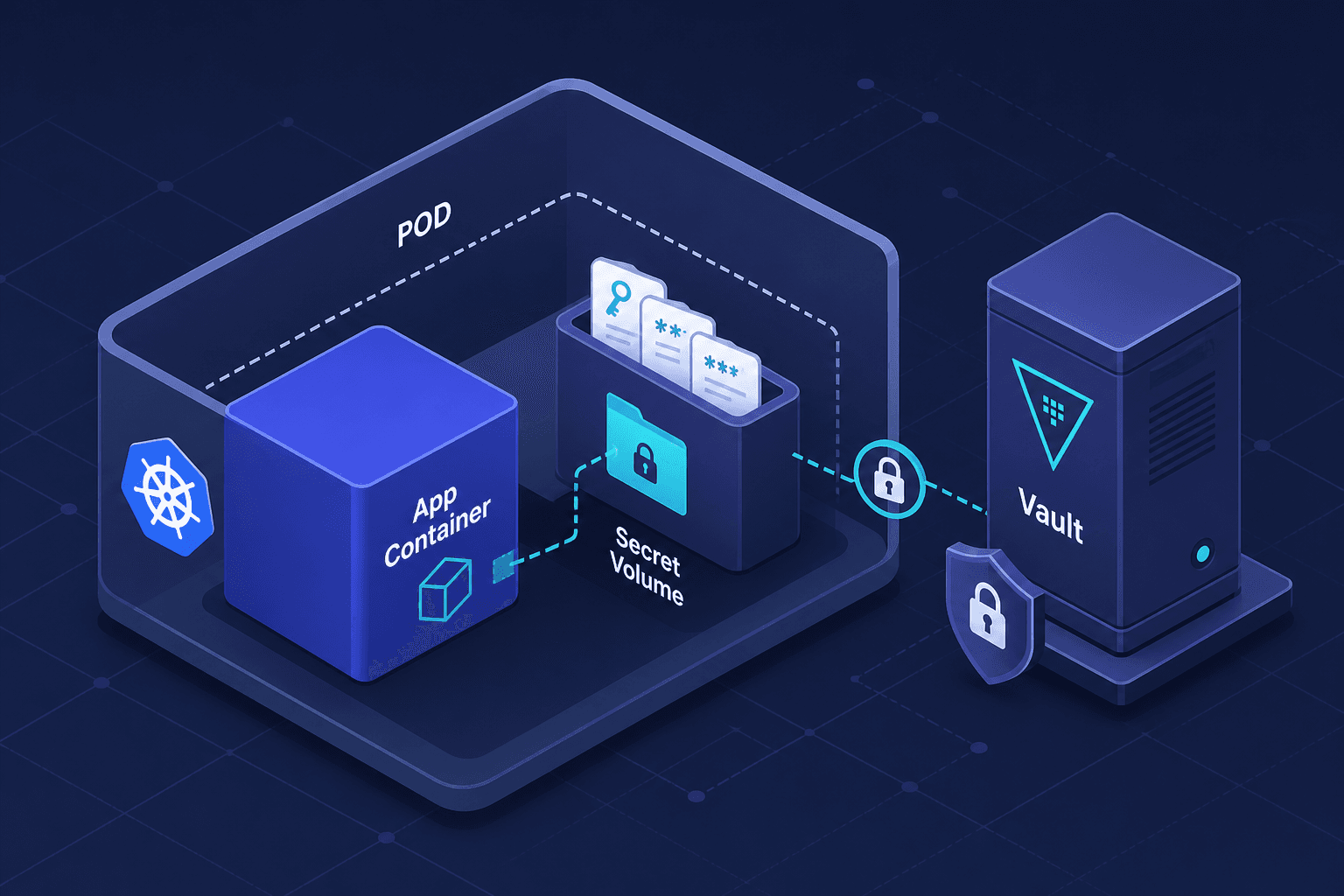
Getting Secrets Into Containers Without Environment Variables
Explore secure methods for injecting container secrets via CSI drivers, tmpfs, and sidecars instead of relying on environment variables.
The Silent Leak: Why Environment Variables Fail for Secrets
When you deploy a container, you likely inject secrets like database passwords or API keys using environment variables (ENV). It is the default pattern in Docker and Kubernetes because it is simple. However, this simplicity comes with a critical security flaw: environment variables are exposed to the entire process hierarchy. If a container crashes, the environment block is often dumped in core files or log outputs. If another user on the same node runs ps aux, they can see the arguments of your container. This is not a theoretical risk; it is a mechanism-level reality of how operating systems handle process execution. To secure secrets, we must move away from process-level exposure and toward file-system-level isolation or externalized credential fetching, ensuring that secret injection mechanisms do not inadvertently leak sensitive data.
The Mechanics of Environment Variable Leakage
To understand why we need alternatives, we must look at how the Linux kernel handles environment variables. When a process starts, the kernel copies the parent's environment block into the child's memory space. This block is accessible via /proc/<pid>/environ.
Consider a pod running in Kubernetes. If you define a secret as an environment variable:
apiVersion: v1
kind: Pod
metadata:
  name: my-app
spec:
  containers:
  - name: app
    image: my-app:latest
    env:
    - name: DB_PASSWORD
      valueFrom:
        secretKeyRef:
          name: db-secret
          key: password
Kubernetes injects this value into the container's environment. Any user with read access to the node can execute:
cat /proc/<container_pid>/environ | tr '\0' '\n' | grep DB_PASSWORDFurthermore, if the application logs its configuration or environment for debugging (a common practice), the secret is written to disk. If the container crashes and generates a core dump, the memory containing the environment block is saved to disk, potentially exposing the secret to anyone with access to the dump file. This is why relying on ENV for high-value secrets is considered a vulnerability in modern security standards like the CIS Kubernetes Benchmark.
Solution 1: CSI Secrets Store Driver
The primary solution for Kubernetes is the CSI (Container Storage Interface) Secrets Store Driver. This approach treats secrets as a file system resource rather than a process variable.
How it works:
- External Secret Store: You store secrets in a secure backend like Azure Key Vault, AWS Secrets Manager, or HashiCorp Vault.
- CSI Provider: A specialized Kubernetes CSI driver (e.g.,
csi-secrets-store-provider-azure) runs as a DaemonSet. It acts as a bridge between Kubernetes and the external store. - Volume Mount: Your application pod requests a volume. The CSI driver mounts a secret from the external store into a specific path in the pod's file system.
The Mechanism: Unlike environment variables, the secret exists only as a file on a temporary volume. The application reads it using standard file I/O operations. Crucially, the secret is never exposed in the process environment.
apiVersion: storage.k8s.io/v1
kind: CSIDriver
metadata:
  name: secrets-store.csi.k8s.io
---
apiVersion: v1
kind: Pod
metadata:
  name: secret-volume-pod
spec:
  containers:
  - name: app
    image: nginx
    volumeMounts:
    - name: secrets-store-inline
      mountPath: "/mnt/secrets-store"
      readOnly: true
  volumes:
  - name: secrets-store-inline
    csi:
      driver: secrets-store.csi.k8s.io
      readOnly: true
      volumeAttributes:
        secretProviderClass: "azure-kvname"
In this setup, the secret is available at /mnt/secrets-store/db-password. If a process list is examined, the secret is absent. If the container logs its environment, the secret is absent. The secret is only present in the file system of the container, which is isolated by the container runtime.
Solution 2: tmpfs (In-Memory Mounts)
For cases where you must use environment variables or file mounts but want to reduce persistence risk, tmpfs is a critical optimization. tmpfs is a temporary file storage filesystem that keeps files in volatile memory (RAM) rather than on disk.
Why it matters:
If a node is compromised, an attacker can often image the disk to recover data. Data stored in tmpfs disappears when the pod is deleted, and also on node reboot. It never touches persistent storage. The primary security benefit is the elimination of disk-based persistence, meaning secrets cannot be recovered from disk dumps or node storage after the lifecycle of the pod ends.
In Kubernetes, you can achieve this by using an emptyDir volume with medium: Memory:
apiVersion: v1
kind: Pod
metadata:
  name: tmpfs-secret-pod
spec:
  containers:
  - name: app
    image: my-app
    volumeMounts:
    - name: secret-vol
      mountPath: /etc/secrets
  volumes:
  - name: secret-vol
    emptyDir:
      medium: Memory
You can then write secrets to this volume using an init container or a sidecar. The key advantage here is that even if the container's file system is leaked, the data is volatile and non-persistent on disk. However, note that tmpfs still resides in the node's RAM, so it is not immune to memory scraping attacks, but it eliminates disk-based recovery risks.
Solution 3: The Sidecar Pattern
The sidecar pattern involves running a second container alongside your main application container. This sidecar is responsible for fetching secrets from a secure source and performing secret injection into the main container's environment or file system at runtime.
How it works:
- Init Container or Sidecar: A lightweight container (e.g., using
vault-agent) starts first. - Authentication: The sidecar authenticates with the secret store using a service account or certificate.
- Injection: The sidecar writes the secret to a shared volume (like an
emptyDir) or updates a local environment file that the main container reads.
This pattern decouples secret retrieval from the application's startup logic. It allows for dynamic secret rotation. If the secret changes in the external store, the sidecar can detect the change and update the file or trigger a restart without changing the application code.
Example using HashiCorp Vault Agent:
apiVersion: v1
kind: Pod
metadata:
  name: vault-sidecar
spec:
  containers:
  - name: app
    image: my-app
    env:
    - name: VAULT_ADDR
      value: "http://127.0.0.1:8200"
    volumeMounts:
    - name: secret-volume
      mountPath: /vault/secrets
  - name: vault-agent
    image: vault:1.10
    command: ["/bin/sh", "-c", "vault agent -config=/vault/config/agent.hcl"]
    volumeMounts:
    - name: secret-volume
      mountPath: /vault/secrets
  volumes:
  - name: secret-volume
    emptyDir: {}
In this scenario, the vault-agent sidecar handles the complex authentication and renewal logic. The main app container simply reads from /vault/secrets/db-password. This separation of concerns improves security by limiting the scope of the main container's capabilities.
Conclusion
Moving secrets out of environment variables is not just a best practice; it is a necessity for secure containerized applications. By leveraging CSI drivers, you can mount secrets as files, keeping them out of process lists. By using tmpfs, you ensure secrets do not persist on disk. By employing sidecars, you centralize secret management and enable dynamic rotation. Each method addresses a different layer of the security stack, but all share a common goal: reducing the attack surface by minimizing the visibility of sensitive data.
Pitfalls
While these methods improve security, they introduce new operational complexities. A common mistake with tmpfs is mounting volumes with incorrect permissions, which can cause applications to fail to start or write to unintended locations. Additionally, administrators often fail to rotate CSI secrets regularly, assuming that the file mount itself provides long-term security. Without a rotation strategy, the secret remains static in the file system, potentially compromising the system if the file is eventually read by a compromised process.
Takeaways
- CSI Drivers: The recommended approach for Kubernetes, treating secrets as mountable files to avoid process-level exposure.
- tmpfs: Use volatile memory mounts to ensure secrets never touch persistent disk storage, reducing recovery risk.
- Sidecars: Decouple secret fetching from application logic, enabling dynamic rotation and centralized management.
FAQ
How does secret rotation work with CSI drivers? CSI providers typically integrate with external secret stores. When a secret is rotated in the store (e.g., AWS Secrets Manager), the CSI driver detects the change and updates the mounted file in the pod, often requiring a pod restart or a file-watch mechanism in the application to reload the value.
Is there a performance overhead with tmpfs?
tmpfs uses RAM, which is faster than disk I/O but consumes memory resources. For small secrets, the overhead is negligible. However, if you are managing large volumes of data, consider the impact on node memory pressure.
Can sidecars introduce security vulnerabilities? Yes, if the sidecar image is not secured or if it has excessive permissions. Ensure the sidecar runs with minimal privileges and that the shared volume permissions are strictly controlled to prevent unauthorized access by other containers in the same pod.
Related posts
GitOps Security: Secrets, Access, and Drift
A guide to securing GitOps workflows using SOPS, Sealed Secrets, and External Secrets Operator while managing access and detecting drift.
Kubernetes GPU Management: Beyond Passthrough
Explore Kubernetes GPU scheduling, MIG, and time slicing to optimize resource sharing for platform engineers and SREs.
Autoscaling LLM Workloads Without Cold-Start Pain
Strategies for autoscaling LLM workloads effectively, managing cold starts, HPA, queue depth, and scale-to-zero patterns.
