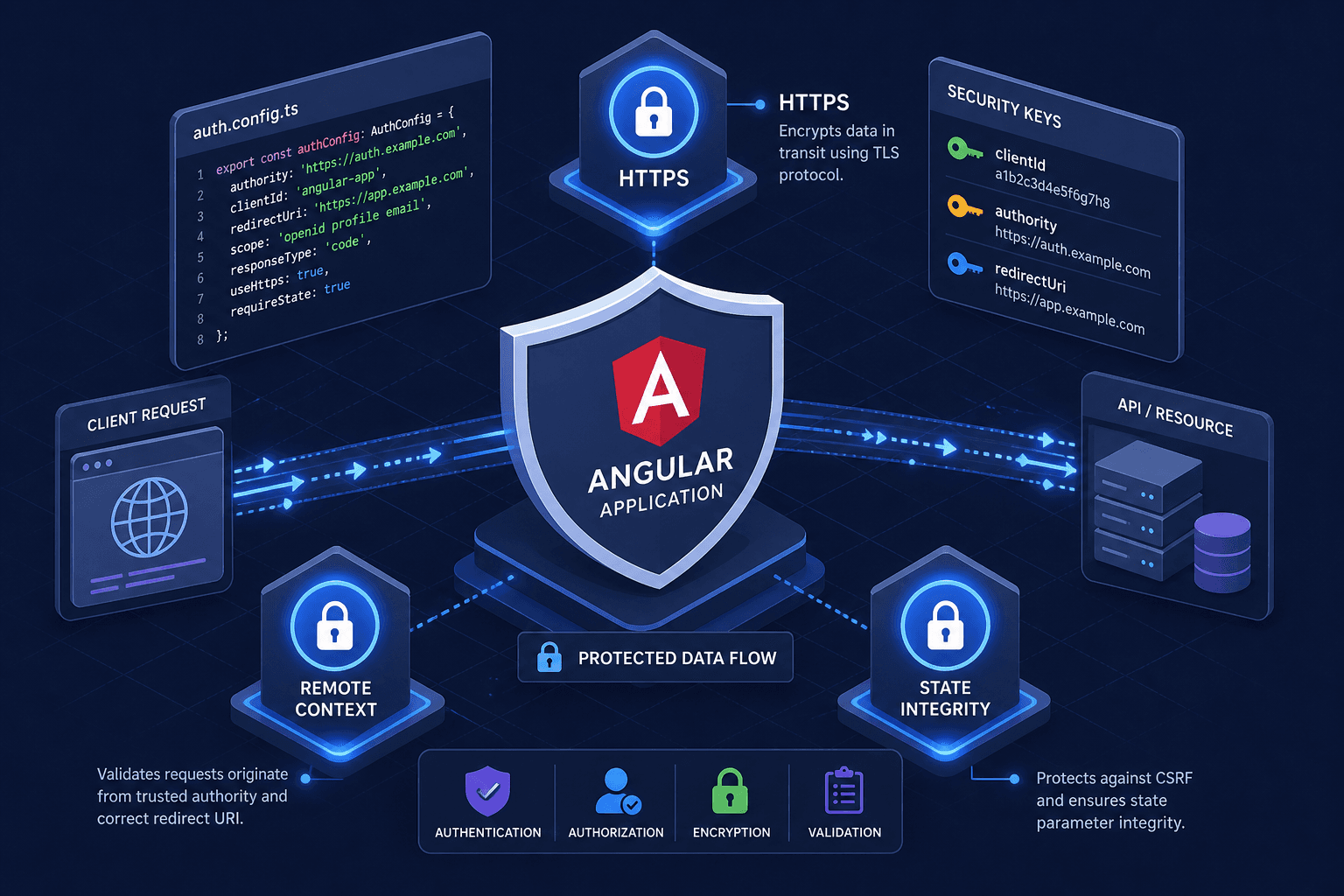
The AuthConfig Reference: Every Property That Matters
A complete reference for Angular-OAuth2-OIDC AuthConfig properties, covering requireHttps, remoteOnly, and nonceStateSeparator for secure Angular authentication.
This is Part 2 of the Angular-OAuth2-OIDC in Production series.
In Angular applications using angular-oauth2-oidc, security is often misunderstood as a feature that is either on or off. It is not. Security is a series of configuration decisions that enforce protocol correctness. When you initialize the OAuth service, you pass an AuthConfig object. This object is not just a list of preferences; it is a set of constraints that dictate how the browser handles tokens, redirects, and state validation.
Misconfiguration here does not result in a broken app; it results in a vulnerable one. This guide examines three critical angular-oauth2-oidc configuration details—requireHttps, its 'remoteOnly' mode, and nonceStateSeparator—explaining the mechanism-level reasons why they exist and how they protect your application.
The Hard Gate: requireHttps
The most fundamental property in AuthConfig is requireHttps. By default, this is set to true.
The Mechanism
OAuth 2.0 and OpenID Connect (OIDC) rely on the browser’s navigation model. When a user authenticates, the Angular application redirects the browser to the Identity Provider (IdP). The IdP then redirects back to your Angular app’s redirect URI, appending the authorization code or token as a URL fragment or query parameter.
If requireHttps is false (or if you attempt to use HTTP), the browser transmits these sensitive values in plaintext.
- Man-in-the-Middle (MitM) Exposure: On public Wi-Fi or compromised networks, an attacker can intercept the redirect URL. If the token is exposed in the URL (as in the Implicit Flow) or even the code in the Authorization Code Flow (before exchange), the attacker gains immediate access.
- Cookie Scope Leakage: While tokens themselves are handled via JS or fragments, session cookies established during the flow are also vulnerable if the transport layer is not encrypted.
Implementation
The library checks this flag before initiating any HTTP request or redirect. If you are developing locally on localhost without HTTPS, you might be tempted to set this to false. However, this should only be done for local development environments, never in production.
// Local development only: disable HTTPS requirement for localhost
const config: AuthConfig = {
  issuer: 'https://login.microsoftonline.com/common',
  redirectUri: window.location.origin + '/implicit-callback',
  requireHttps: false, // Local dev only
  clientId: 'your-client-id'
};
Opinion: Never disable requireHttps in production. For local development, use a reverse proxy (like Nginx or a local HTTPS tunnel) to maintain HTTPS everywhere. The security cost of disabling this is infinite; the development convenience is negligible.
Flow Control: requireHttps: 'remoteOnly'
The 'remoteOnly' setting is less commonly discussed but useful for local development and testing against a live Identity Provider.
The Mechanism
requireHttps does not only accept true or false. It also accepts the string 'remoteOnly', which distinguishes between two different classes of URLs:
- Remote (IdP) URLs: The issuer, authorization endpoint, and token endpoint hosted by your Identity Provider.
- Local (Redirect) URLs: The
redirectUriyour Angular app runs on, which during development is oftenhttp://localhost.
When requireHttps is set to 'remoteOnly', the library still enforces HTTPS for all remote IdP URLs, but relaxes the requirement for URLs on localhost, since local development servers rarely run behind TLS.
Why It Matters
- Safer Local Development: Instead of disabling
requireHttpsentirely (which would allow any URL, including the issuer, to use HTTP),'remoteOnly'lets you keep the IdP communication encrypted while still testing against a plainhttp://localhostredirect URI. - Reduced Risk of Misconfiguration: Because the flag only weakens the check for
localhost, it is much harder to accidentally ship an insecure production configuration than ifrequireHttpswere simply set tofalse.
const config: AuthConfig = {
  // ... other config
  requireHttps: 'remoteOnly', // Requires HTTPS for the IdP, allows HTTP on localhost
};
If you are building a standard Single Page Application (SPA) that runs entirely in the browser, keeping requireHttps: true in production is the safe default. 'remoteOnly' is intended for local development against a real IdP, not as a general-purpose production setting.
State Integrity: nonceStateSeparator
The nonceStateSeparator is a small string that solves a large parsing problem.
The Mechanism
OpenID Connect introduces two critical parameters to prevent replay and CSRF attacks:
- state: A random value generated by the client, returned by the IdP to ensure the response matches the request.
- nonce: A random value sent in the authentication request, returned in the ID Token to ensure the token was issued to the current client.
When the IdP redirects back to your app, these values are often encoded together in the URL fragment or query string. The library needs to extract them to validate the response.
The nonceStateSeparator defines the delimiter used to join the state and nonce values when they are stored temporarily before validation.
Why It Matters
- Parsing Correctness: If the separator is not unique, the library might misparse the values. For example, if the separator is
-and the state value contains a-, the parser might split the string incorrectly, leading to validation failures. - Collision Avoidance: The separator must be a string that is highly unlikely to appear naturally in the
stateornoncevalues. By default,angular-oauth2-oidcuses a semicolon (;) as the separator, chosen because it is unlikely to appear in the base64url-encoded or hex-encoded values typically used for state and nonce.
const config: AuthConfig = {
  // ... other config
  nonceStateSeparator: ';', // Default, but can be customized
};
Critical Note: Do not change this to a common character like - or _ unless you are certain your IdP does not use those characters in the state payload. The library relies on this separator to reconstruct the original state and nonce for cryptographic validation. If the parsing fails, the login fails silently or throws a generic error, leaving you debugging a string-splitting issue.
Conclusion
AuthConfig is not a configuration file; it is a security policy.
requireHttpsensures the transport layer is secure.requireHttps: 'remoteOnly'lets you safely test against a live IdP fromlocalhost.nonceStateSeparatorensures the state integrity can be verified.
These properties work together to form a defense-in-depth strategy. Changing one without understanding the others can break security or functionality. Always keep requireHttps true in production, reserve 'remoteOnly' for local development, and use a secure nonceStateSeparator.
For further reading, consult the official Angular-OAuth2-OIDC documentation. While RFC 6749 covers the base OAuth 2.0 protocol, refer to the OpenID Connect Core specification for the specific extensions like nonce and state validation mechanics.
Related posts
angular-oauth2-oidc: Setting Up Code Flow With PKCE
A practical walkthrough for configuring angular-oauth2-oidc with code flow and PKCE to secure Angular applications.
OAuth 2.0 Refresh Tokens in Angular: Silent Refresh with useRefreshTokens
Learn how to implement automatic silent refresh in Angular using userefreshtoken and setupautomaticsilentrefresh for secure session management.
Angular OAuth2/OIDC: loadDiscoveryDocumentAndTryLogin
Learn how to use loadDiscoveryDocumentAndTryLogin and strict discovery document validation in Angular for secure OAuth2/OIDC authentication.