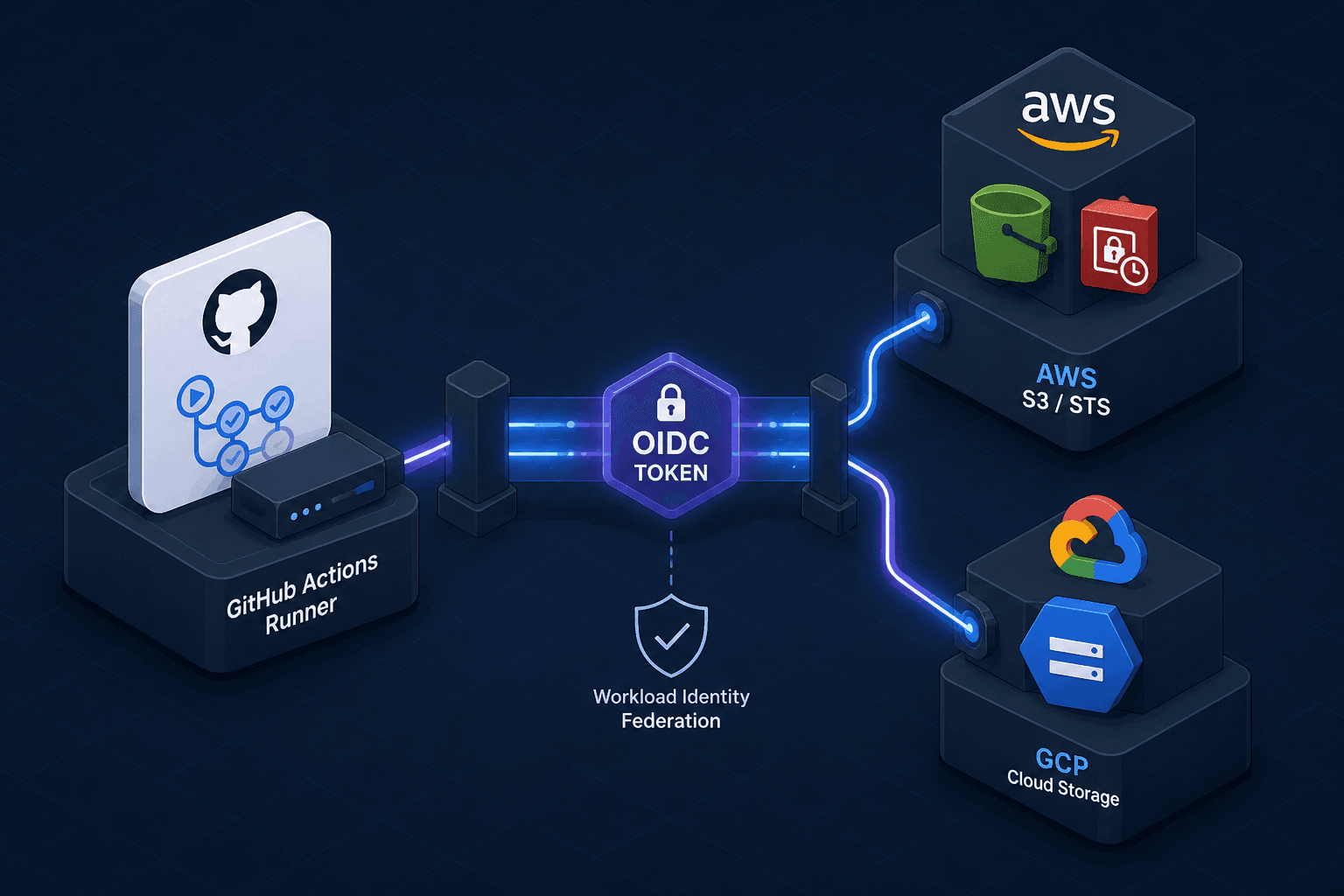
Workload Identity Federation Across Clouds
Learn how to implement workload identity federation for secure, keyless access across cloud providers using OIDC.
In modern multi-cloud infrastructure, the most common source of security vulnerability is not a complex misconfiguration, but a static credential. For years, platform engineers have managed long-lived Access Key IDs and Secret Access Keys, storing them in CI/CD environment variables. This practice creates a persistent attack surface: if a log is leaked, a branch is committed accidentally, or a developer’s machine is compromised, the attacker gains immediate, long-term access to cloud resources.
Workload Identity Federation eliminates this risk by replacing static secrets with short-lived, cryptographically signed tokens using OpenID Connect (OIDC). As Part 4 of the Multi-Cloud Identity series, this guide explains the mechanism behind WIF, how it works across cloud providers, and how to implement it in GitHub Actions.
The Failure Mode of Static Credentials
To understand why WIF is necessary, we must look at how traditional IAM authentication works. When a CI/CD pipeline needs to access an S3 bucket or a GCP Storage bucket, it typically uses an IAM User or Role with attached policies. To assume this role programmatically, the pipeline must provide an AccessKeyId and SecretAccessKey.
These keys are static. They do not expire unless manually rotated. If a key is committed to a public repository via a misconfigured .gitignore, it remains valid indefinitely. Furthermore, these keys grant permissions based on who owns the key, not what the specific job is doing. A single key might have broad permissions because it is shared across multiple pipelines, increasing the blast radius of any single compromise.
WIF changes the trust model. Instead of proving "I know the secret password," the workload proves "I am a legitimate GitHub Actions job running on a specific branch." The cloud provider verifies this claim by checking a digital signature issued by GitHub’s OIDC provider. No secrets are exchanged.
The Mechanism: How OIDC Federation Works
The core mechanism of WIF relies on three actors: the Identity Provider (IdP) (e.g., GitHub), the Cloud Provider (e.g., AWS, GCP, Azure), and the Workload (e.g., a GitHub Action).
- Token Issuance: The IdP (GitHub) generates a JSON Web Token (JWT) for each workflow run. This token contains claims (metadata) about the job, such as the repository name, branch, commit SHA, and actor. Crucially, this token is signed with a private key held only by the IdP.
- Trust Configuration: The Cloud Provider is configured with an "OIDC Provider" resource. This configuration includes the IdP’s public keys, which are fetched and cached during resource creation from the IdP’s JWKS endpoint, and a Trust Policy (a JSON document defining what conditions must be met for the token to be accepted).
- Token Exchange: The Workload presents the JWT to the Cloud Provider’s Security Token Service (STS). The Cloud Provider validates the JWT’s signature using the cached public keys. It then evaluates the claims against the Trust Policy.
- Credential Issuance: If validation succeeds, the Cloud Provider issues short-lived temporary credentials (typically valid for 1 hour). These credentials are scoped to the specific IAM role defined in the trust policy.
This process is stateless and keyless. The Cloud Provider never sees the IdP’s private key, and the Workload never sees the Cloud Provider’s secrets.
Implementing WIF: GitHub Actions to AWS
Let’s walk through a concrete scenario: a GitHub Actions job deploying to an AWS S3 bucket.
Step 1: Configure the OIDC Provider in AWS
First, you must tell AWS to trust GitHub. In the AWS IAM console or via Terraform, you create an OpenID Connect provider using GitHub’s issuer URL (https://token.actions.githubusercontent.com).
Next, you create an IAM Role that trusts this provider. The trust policy must define conditions that restrict when the role can be assumed. For example, you might only allow the role to be assumed from a specific repository and branch.
{
  "Version": "2012-10-17",
  "Statement": [
    {
      "Effect": "Allow",
      "Principal": {
        "Federated": "arn:aws:iam::123456789012:oidc-provider/token.actions.githubusercontent.com"
      },
      "Action": "sts:AssumeRoleWithWebIdentity",
      "Condition": {
        "StringEquals": {
          "token.actions.githubusercontent.com:aud": "sts.amazonaws.com"
        },
        "StringLike": {
          "token.actions.githubusercontent.com:sub": "repo:my-org/my-repo:ref:refs/heads/main"
        }
      }
    }
  ]
}
This policy ensures that only jobs from my-org/my-repo on the main branch can assume this role. A malicious actor pushing code to a feature branch cannot assume this role, even if they have the token.
Step 2: Configure the GitHub Action
In your GitHub Actions workflow, you use the aws-actions/configure-aws-credentials action. This action handles the OIDC flow automatically.
name: Deploy to S3
on:
  push:
    branches: [main]

jobs:
  deploy:
    runs-on: ubuntu-latest
    steps:
      - name: Configure AWS Credentials
        uses: aws-actions/configure-aws-credentials@v4
        with:
          role-to-assume: arn:aws:iam::123456789012:role/github-actions-deploy-role
          aws-region: us-east-1
          # No access_key_id or secret_access_key needed!
When this step runs, the action requests a JWT from GitHub’s OIDC endpoint, exchanges it with AWS STS, and configures the AWS_ACCESS_KEY_ID and AWS_SECRET_ACCESS_KEY environment variables with temporary credentials. These credentials expire shortly after the job completes.
Cross-Cloud Federation: GCP and Azure
The same mechanism applies to Google Cloud Platform (GCP) and Microsoft Azure.
Google Cloud Workload Identity Federation
GCP uses a similar model but refers to it as "Workload Identity Federation." You create a Workload Identity Pool and a Workload Identity Provider in GCP IAM. The trust policy is defined in a JSON format that specifies the GitHub repository and branch.
# Create the pool
gcloud iam workload-identity-pools create "github-pool" \
    --project="my-project" \
    --location="global" \
    --description="GitHub Actions pool"

# Create the provider
gcloud iam workload-identity-pools providers create-oidc "github" \
    --project="my-project" \
    --location="global" \
    --workload-identity-pool="github-pool" \
    --attribute-mapping="google.subject=assertion.sub,attribute.actor=assertion.actor,attribute.repository=assertion.repository" \
    --issuer-uri="https://token.actions.githubusercontent.com"
Then, you grant a service account the ability to be impersonated by this provider. In the GitHub Actions workflow, you use the google-github-actions/auth action, which performs the same OIDC exchange.
Azure Workload Identity
Azure has introduced Workload Identity for Kubernetes, but for CI/CD, it supports OIDC federation through Azure AD (Entra ID). You register an application in Entra ID, configure the OIDC issuer, and assign roles to the federated identity. The GitHub Action uses azure/login with enable-AzPSSession: false and OIDC authentication.
Why This Matters for Multi-Cloud Architectures
In a multi-cloud environment, services often need to communicate across providers. For example, a compute service in GCP might need to write logs to an S3 bucket in AWS.
Without WIF, you would need to create an IAM user in AWS, store its keys in GCP’s Secret Manager, and inject them into the GCP workload. This creates a dependency chain and a security risk.
With WIF, you can configure the GCP workload to assume an AWS IAM role directly, without an intermediary. Alternatively, the GitHub Actions workflow can act as the orchestrator: the GitHub Action assumes the AWS IAM role directly via OIDC, or a separate federation chain is established where the GitHub IdP validates identities across clouds. This reduces the number of secrets you need to manage and allows for fine-grained, conditional access control across clouds.
Conclusion
Workload Identity Federation is not just a convenience; it is a fundamental shift in how we manage cloud security. By leveraging OIDC, we move from a model of "sharing secrets" to a model of "verifying identity." This reduces the attack surface, simplifies compliance, and enables secure cross-cloud interactions.
For platform engineers, the immediate action is to audit existing CI/CD pipelines for static credentials and begin migrating them to OIDC-based workflows. The initial configuration requires care, but the long-term security benefits are substantial. Start with GitHub Actions and AWS, then expand to GCP and Azure.
Common Pitfalls
- Overly Broad Trust Policies: Defining trust policies that allow any branch or repository to assume the role negates the security benefits. Always scope conditions to specific repositories, branches, and environments.
- Ignoring Token Expiration: While credentials are short-lived, ensure your application handles credential expiration gracefully. Stale tokens or failed refreshes can cause sudden outages if not monitored.
- Missing Condition Checks: Relying solely on the presence of a token without verifying specific claims (like
suboraud) can lead to privilege escalation if the IdP structure changes or is compromised.
Practical Takeaways
- Replace all static IAM user keys in CI/CD pipelines with OIDC-based federation.
- Scope trust policies tightly using conditions on repository, branch, and subject claims.
- Leverage native cloud actions (e.g.,
aws-actions/configure-aws-credentials) to automate the token exchange process.
Related posts
SAML Assertions, Statements, and the Schema
An examination of SAML 2.0 assertion structure, statement types, and schema validation for developers and identity engineers.
SAML 2.0 in One Diagram
A visual walkthrough of the SAML 2.0 Single Sign-On flow, covering bindings, profiles, and how it compares to OIDC.
OpenID Connect Guide: Extending OAuth 2.0 for Identity Verification
An examination of OpenID Connect (OIDC) and how it extends OAuth 2.0 to handle identity verification using ID tokens and discovery protocols.