Serving Hugging Face Models with vLLM's OpenAI-Compatible API
Learn how to serve Hugging Face models using vLLM's OpenAI-compatible API for efficient inference and easy integration.
For backend developers integrating Large Language Models (LLMs) into production systems, the primary friction point is often the mismatch between the model provider’s interface and the application’s existing infrastructure. Hugging Face models are typically accessed via the transformers library, which requires manual prompt formatting and lacks built-in high-throughput batching. Conversely, the OpenAI API is ubiquitous in client codebases but requires a specific endpoint.
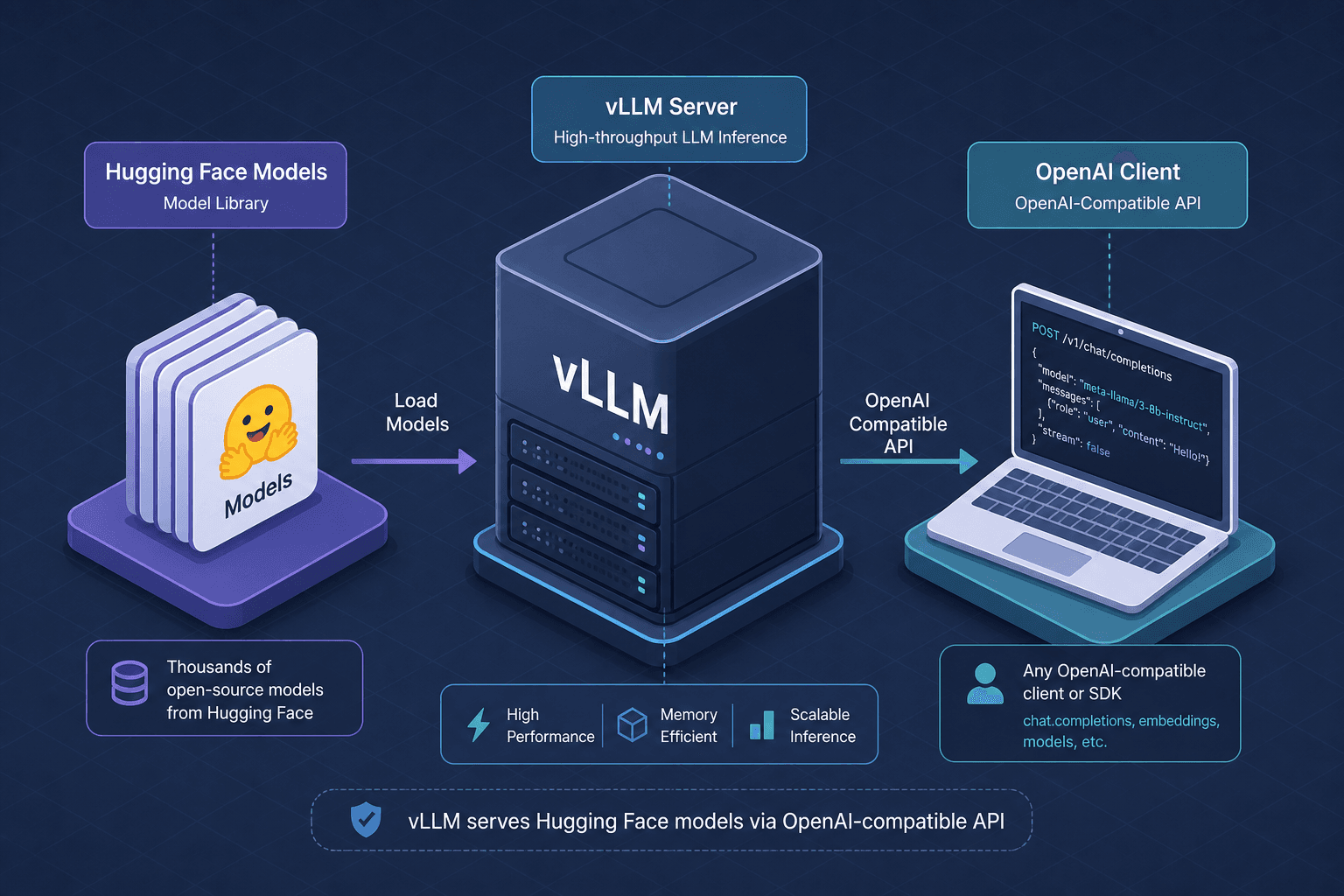
vLLM resolves this conflict by serving Hugging Face models through an endpoint that strictly adheres to the OpenAI Chat Completion API specification. This allows engineers to leverage vLLM’s PagedAttention mechanism for high-performance inference while keeping client-side code unchanged.
The Mechanism of Compatibility
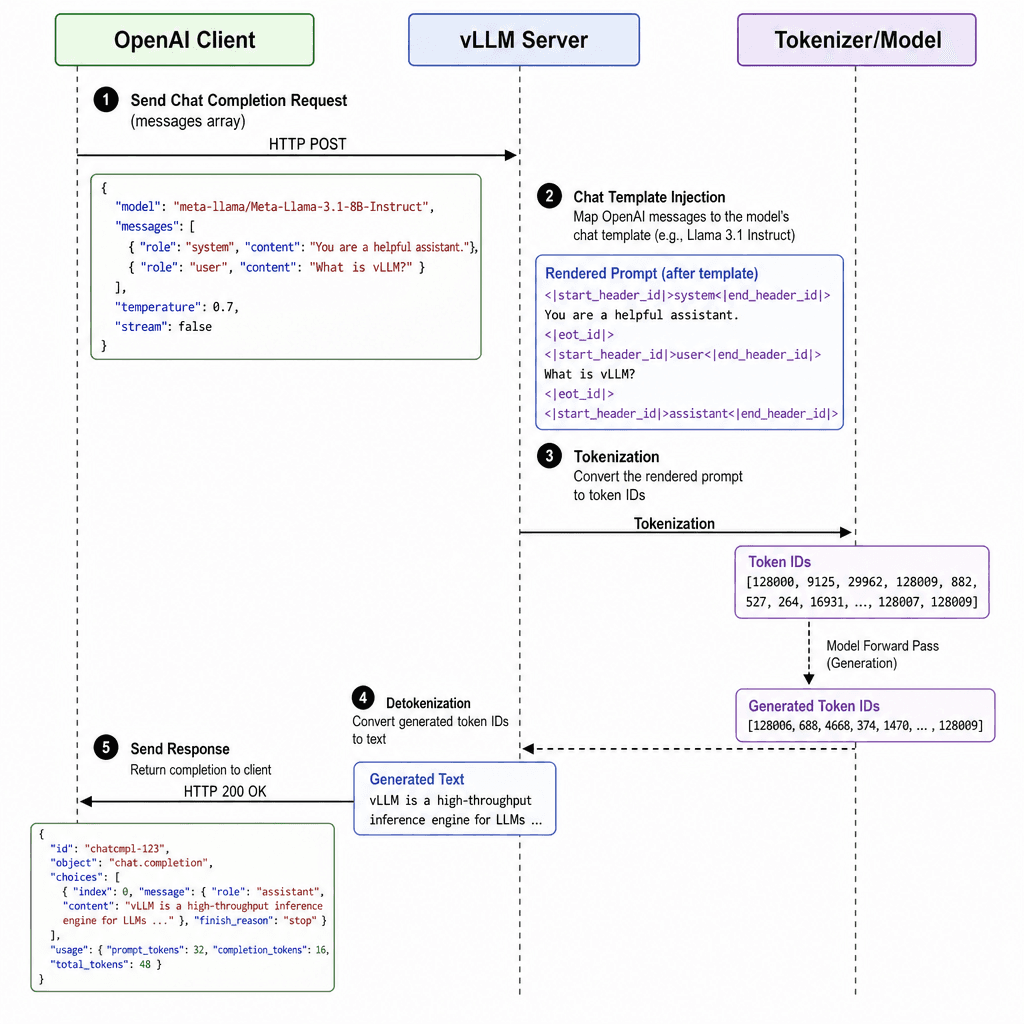
The core innovation here is not just HTTP routing, but the semantic mapping of Hugging Face’s tokenization logic to OpenAI’s messages structure. When a Hugging Face model is loaded, it comes with a tokenizer that defines how text is converted to IDs. Crucially, many modern models include a chat_template—a Jinja2 template that defines how to format system, user, and assistant messages into a single prompt string.
vLLM’s server automatically detects this chat_template. When a client sends a request with the standard OpenAI messages array:
[
  {"role": "system", "content": "You are a helpful assistant."},
  {"role": "user", "content": "Explain quantum computing."}
]
vLLM injects these roles into the model’s specific chat_template. This happens on the server side before tokenization. This mechanism ensures that the model receives prompts exactly as its creators intended, without the client needing to know the underlying template structure. This decoupling is critical; if the model’s chat template changes in a future version, the client code does not need to be updated.
Deployment Workflow
To perform model serving for a Hugging Face model, you install vLLM and invoke the server process. The key argument is --model, which accepts any Hugging Face Hub identifier.
pip install vllm
vllm serve meta-llama/Llama-2-7b-chat-hf --host 0.0.0.0 --port 8000
When this command executes, vLLM performs the following mechanism steps:
- Model Loading: It downloads the model weights and tokenizer from Hugging Face Hub if not cached locally.
- KV Cache Initialization: It allocates GPU memory for the Key-Value (KV) cache using PagedAttention. Unlike static batching in standard frameworks, PagedAttention manages memory in non-contiguous blocks, allowing for efficient handling of sequences with varying lengths.
- API Server Startup: It initializes a FastAPI application that listens on the specified port, exposing endpoints like
/v1/chat/completions.
Client-Side Integration
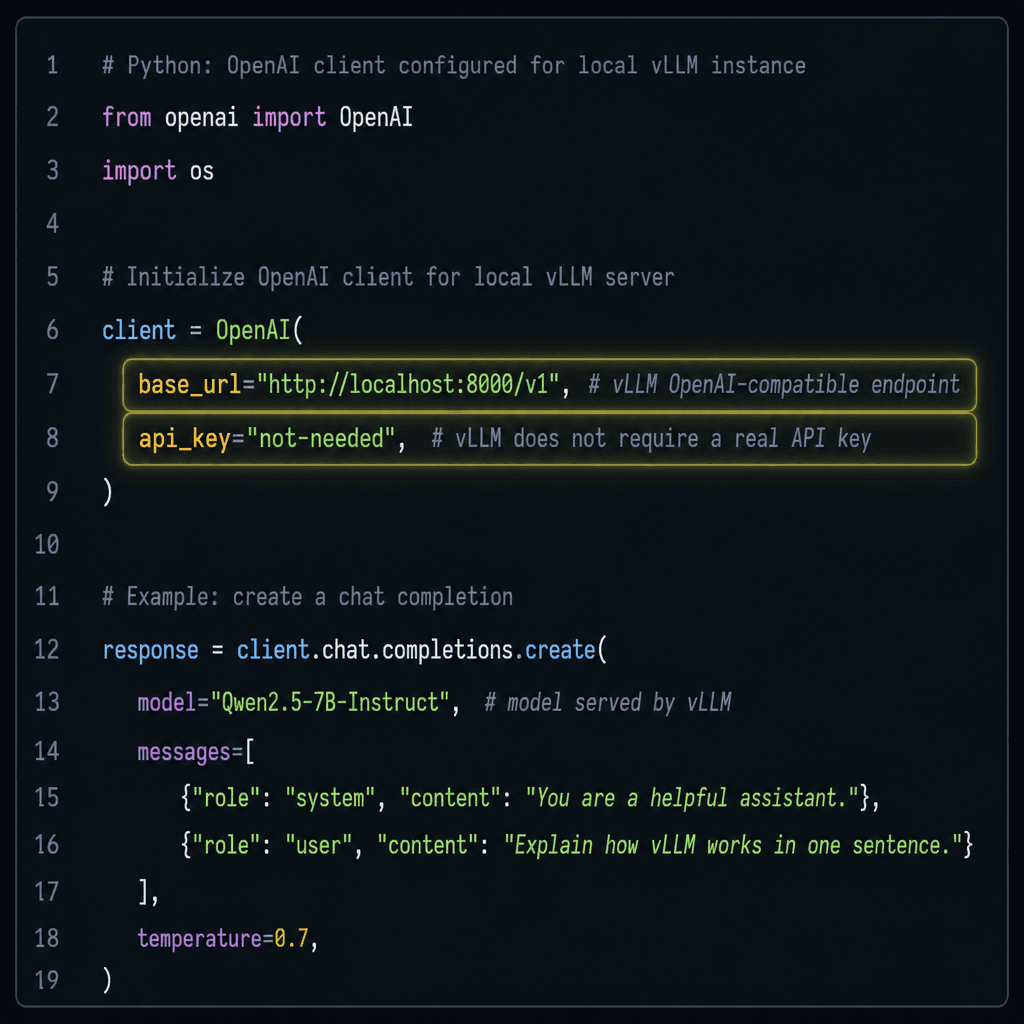
The most significant advantage for backend engineers is that existing OpenAI client code works with vLLM out of the box. By exposing an openai compatible api endpoint, vLLM allows clients to interact with the model using standard HTTP requests. The OpenAI Python SDK uses a base_url to determine where to send requests. By pointing this URL to your local vLLM instance, you bypass OpenAI’s servers entirely.
Here is a practical scenario where a Python backend integrates with a locally served Llama-2 model:
from openai import OpenAI

# Initialize client pointing to local vLLM instance
client = OpenAI(
    base_url="http://localhost:8000/v1/",
    api_key="token-abc123"  # vLLM accepts any non-empty string
)

response = client.chat.completions.create(
    model="meta-llama/Llama-2-7b-chat-hf",  # Model name must match server config
    messages=[
        {"role": "system", "content": "You are a helpful coding assistant."},
        {"role": "user", "content": "Write a Python function to reverse a linked list."}
    ],
    temperature=0.7
)

print(response.choices[0].message.content)
Note that the api_key parameter is required by the OpenAI SDK schema, but vLLM ignores it by default unless configured otherwise. Any non-empty string suffices. The model field in the request must match the model name provided during server startup.
Performance Implications
Why use vLLM instead of a simple Hugging Face pipeline()? The difference lies in batching strategy, particularly in llm-serving scenarios where throughput is critical.
A naive implementation processes requests sequentially or uses static batching, where all requests in a batch must have the same maximum length. This leads to significant padding waste when sequence lengths vary. vLLM uses continuous batching and PagedAttention. Continuous batching allows new requests to be added to the GPU as soon as previous requests finish, maximizing GPU utilization. PagedAttention treats the KV cache like virtual memory, allocating blocks in GPU VRAM and swapping them to CPU RAM if needed, which prevents Out-Of-Memory (OOM) errors during high-load scenarios.
For a backend service handling multiple concurrent users, this results in significantly higher tokens-per-second throughput compared to standard transformer inference loops.
Conclusion
By serving Hugging Face models via vLLM’s OpenAI-compatible API, backend engineers gain two distinct advantages: the flexibility of open-source models hosted on Hugging Face and the operational simplicity of the OpenAI API contract. This setup eliminates the need for custom prompt engineering wrappers and provides production-grade throughput through advanced memory management techniques. For teams already invested in the OpenAI SDK ecosystem, this integration path offers the lowest barrier to entry for deploying private, open-source LLMs.
Related posts
LoRA Adapters at Serve Time with vLLM Multi-LoRA
Learn how to serve multiple LoRA adapters concurrently in vLLM for efficient multi-tenant inference.
What Is Inference? The Mental Model Every Backend Engineer Needs
A clear explanation of LLM inference for backend engineers, covering autoregressive generation and the forward pass mental model.
Cold Starts in Serverless GPU Inference and How to Kill Them
Explore strategies to eliminate cold start latency in serverless GPU inference, covering weight loading, snapshots, and model streaming techniques.
