Spring Security LDAP Authentication: Enterprise Directory Integration
Implement LDAP authentication in Spring Security to integrate with Active Directory and manage enterprise user directories securely.
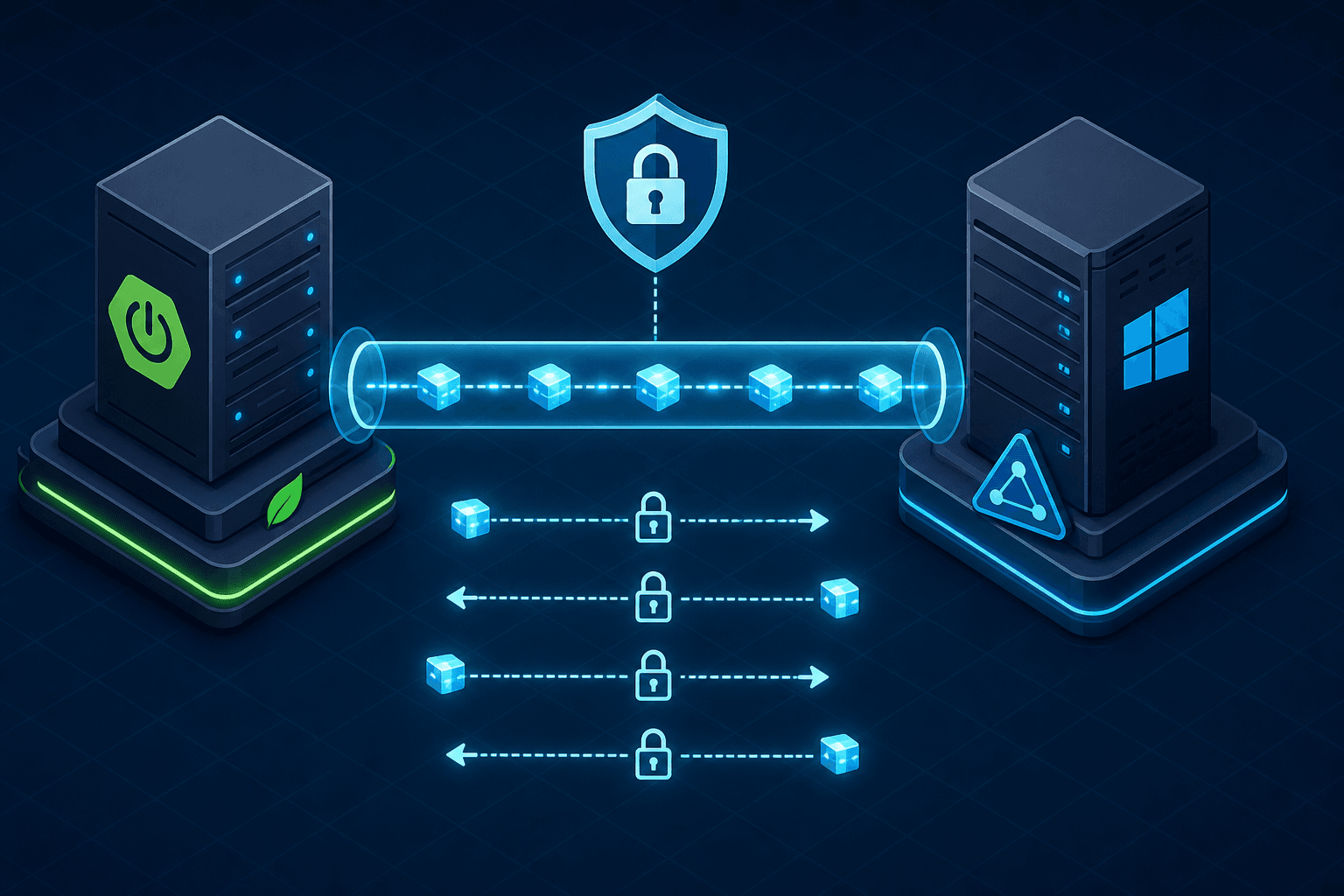
When you configure Spring Security to authenticate against an enterprise directory like Active Directory (AD), you are not merely plugging in a "login" button. You are establishing a network client connection that performs a specific protocol handshake defined in RFC 4513. The core mechanism is the LDAP Bind operation. Unlike a database lookup where you fetch a row and compare hashes locally, LDAP authentication relies on the directory server performing the credential verification. Spring Security constructs a specific Distinguished Name (DN) and attempts to open a new session (bind) using that DN and the provided password. If the server accepts the credentials, the bind succeeds, and the user is authenticated. If it rejects them, the bind fails. This distinction is critical because it shifts the trust boundary entirely to the directory service.
Consider a scenario where a user named jdoe attempts to log in. In a standard Spring Security setup, the framework might search a database for username = 'jdoe'. In an LDAP setup, Spring Security must construct the full DN, typically something like cn=jdoe,ou=users,dc=example,dc=com or CN=John Doe,CN=Users,DC=contoso,DC=com depending on how the directory is structured. The application sends a request to the LDAP server asking to bind as that specific DN. The server then checks its internal password store. This mechanism allows the enterprise to manage access control centrally without replicating user passwords to the application server's local cache.
The Mechanism of Bind Operations
To implement this, you must define a LdapAuthenticationProvider within your security configuration. However, the default behavior of Spring Security assumes a generic LDAP schema. Active Directory uses a proprietary schema that often conflicts with these defaults. For instance, AD does not typically use the uid attribute for the login name; it uses sAMAccountName or the full userPrincipalName. If you configure the search base incorrectly or map the wrong attribute, the application will send a bind request for a DN that does not exist, resulting in an immediate InvalidCredentialsException.
The configuration requires explicit definition of the ContextSource, which manages the physical connection to the directory. You must specify the host, port, and base DN. More importantly, for enterprise environments, you must enforce encryption. Sending credentials over an unencrypted LDAP port (389) is a severe security vulnerability. You should configure the ContextSource to use LDAPS (LDAP over SSL) on port 636 or startTLS on port 389.
@Bean
public ContextSource contextSource() {
    LdapContextSource contextSource = new LdapContextSource();
    contextSource.setUrl("ldaps://ad.example.com:636");
    contextSource.setUserDn("cn=admin,dc=example,dc=com"); // Service account for binding/search
    contextSource.setPassword("secure_password_here");
    contextSource.setBase("dc=example,dc=com");
    contextSource.setBaseEnvironmentProperties(new Properties());
    // Enable SSL verification
    contextSource.getEnvironment().put("com.sun.jndi.ldap.connect.timeout", "3000");
    contextSource.getEnvironment().put("com.sun.jndi.ldap.read.timeout", "3000");
    return contextSource;
}
Once the connection is established, the LdapAuthenticationProvider needs to know how to locate the user. You configure a LdapUserDetailsService or a custom UserDetailsMapper that performs the search. The search filter is where logic often breaks. A naive filter like (uid={0}) will fail against AD. You must construct a filter that matches the AD schema, such as (sAMAccountName={0}). Furthermore, the application must handle the fact that AD usernames are case-insensitive, whereas the LDAP protocol is case-sensitive regarding the DN.
Active Directory Specifics
A common point of confusion is how the password is verified. By default, Spring Security uses a SimpleLdapPasswordCompare strategy. This strategy takes the raw password provided by the user, binds to the server as that user, and then immediately unbinds. If the bind succeeds, the password is correct. This is the most secure method because the application never sees the hashed password, nor does it need to parse the schema to extract the userPassword attribute. It simply asks the server, "Can this user log in?"
However, in some legacy integrations, administrators prefer to retrieve the password hash from the directory and compare it locally using a PasswordEncoder. This is generally discouraged in modern Spring Security applications because it requires the application to have read access to the userPassword attribute, which is often protected or stored in a format (like NTLM hashes) that the application cannot easily interpret without specific knowledge of the AD password storage format. If you must compare locally, you typically need to use LdapCustomPasswordCompare or a custom implementation that retrieves the hash and applies the same hashing algorithm (e.g., PBKDF2) that AD uses, but this introduces significant complexity and potential for synchronization errors.
The PasswordEncoder bean is still required in the configuration, but its role changes. When using the bind strategy, the PasswordEncoder is often set to a no-op or a dummy implementation because the actual comparison happens on the server.
@Bean
public LdapAuthenticationProvider ldapAuthenticationProvider(
        ContextSource contextSource) {

    LdapAuthenticator authenticator = new LdapAuthenticator(contextSource);
    // Use the default bind strategy
    authenticator.setSearchFilter("(sAMAccountName={0})");
    authenticator.setSearchSubtree(true);
    authenticator.setBaseDn("DC=example,DC=com");

    // Configure the user details service to map the AD attributes
    LdapUserDetailsService userDetailsService = new LdapUserDetailsService(contextSource);
    userDetailsService.setSearchFilter("(sAMAccountName={0})");
    userDetailsService.setRoleSearchFilter("(member={0})"); // Optional: for group mapping
    userDetailsService.setRoleSearchSubtree(true);
    userDetailsService.setRoleSearchBase("OU=Groups,DC=example,DC=com");

    return new LdapAuthenticationProvider(authenticator, userDetailsService);
}
Security in this context also depends on the service account used to bind and search the directory. The ContextSource requires a "bind DN" that has sufficient permissions to search the directory tree but should be restricted to read-only operations. If you grant write permissions to the service account, you risk data integrity issues if the application logic has a bug. The principle of least privilege dictates that the application account should only have read access to the user and group objects necessary for authentication and authorization.
Another mechanism to consider is the handling of special characters in usernames. Active Directory allows a wide range of characters, including spaces and special symbols. If a username contains a character that has a special meaning in the LDAP filter syntax (like *, (, ), \, or \0), the application must escape these characters before constructing the filter string. Spring Security's LdapUtils class provides utilities for this, but if you manually construct filters, you must ensure proper escaping to prevent LDAP injection attacks. An attacker could craft a username like *)(|(password=*)) to bypass authentication if the filter is not properly sanitized.
Password Comparison Strategies
Finally, consider the performance implications of the bind strategy. Every login attempt creates a new TCP connection to the LDAP server, performs a bind, and immediately closes the connection. In high-traffic enterprise environments, this can create significant load on the directory service. While the bind operation is fast, the overhead of establishing TLS handshakes for every request can be non-trivial. Some architectures mitigate this by using connection pooling at the JNDI level or by caching the ContextSource with a longer timeout, though Spring Security's default ContextSource implementation handles basic pooling.
The integration of Spring Security with Active Directory via LDAP is a robust solution for enterprise authentication, provided you understand that it is a protocol-level interaction, not a simple database join. The application delegates the security decision to the directory server. By configuring the ContextSource correctly, using the appropriate search filters for the AD schema, and relying on the bind operation for password verification, you ensure that the application remains stateless regarding credentials while maintaining a secure connection to the central identity provider. This approach aligns with the Zero Trust model where the application does not store secrets but validates them against a trusted authority.
Opinion: While the bind strategy is the most secure, it can introduce latency in very large-scale deployments due to the connection overhead. In such cases, implementing a custom AuthenticationProvider that caches the ContextSource connection pool might be necessary. Clarify that LdapContextSource provides basic connection caching and recommend configuring the pooled property on ContextSource for production-grade pooling if needed, rather than suggesting incompatible libraries like Apache Commons DBCP.
The final piece of the puzzle is mapping the LDAP attributes to Spring Security's UserDetails object. You must explicitly map the sAMAccountName to the username and the displayName or givenName to the fullName. Additionally, if you rely on AD groups for authorization, you must configure the roleSearchFilter to fetch the groups the user belongs to. The LdapUserDetailsService handles this by performing a second search after authentication to resolve the roles.
// Example of mapping AD attributes to UserDetails
public class CustomLdapUserDetailsMapper extends LdapUserDetailsMapper {
    @Override
    protected void populateUserDetails(UserDetails userDetails, DirContextOperations userContext) {
        // Map specific AD attributes
        String username = userContext.getStringAttributeValue("sAMAccountName");
        String fullName = userContext.getStringAttributeValue("displayName");
        // Map to Spring Security UserDetails
        userDetails = new User(username, null, getAuthorities(username));
    }
}
Common Pitfalls
When integrating Spring Security with LDAP, several recurring issues can compromise security or stability.
- LDAP Injection Risks: Constructing search filters with unsanitized user input is a critical vulnerability. If a username contains special characters like
*,(, or), an attacker can manipulate the filter logic to bypass authentication. Always useLdapUtils.escapeFilter()or rely on Spring's built-in placeholder mechanisms ({0}) which handle escaping automatically. - Performance Impact of Per-Request Binds: The default bind strategy opens a new connection for every login. In high-volume systems, this can overwhelm the directory service. Relying solely on the default
ContextSourcemay not be sufficient for production workloads; you must explicitly configure connection pooling via thepooledproperty or a dedicated pooler to mitigate connection overhead. - Schema Mismatches: Assuming a generic LDAP schema for Active Directory often leads to immediate failures. AD uses specific attributes like
sAMAccountNameanduserPrincipalNamerather than the standarduid. Failing to adjust thesearchFilterandbaseDnto match the AD schema results inInvalidCredentialsExceptioneven when the password is correct.
Practical Takeaways
To successfully deploy LDAP authentication, keep these mental models in mind:
- Trust Boundary: The application never verifies the password locally; it delegates the verification to the directory. If the directory says "yes," the application trusts it.
- Schema is King: Do not guess the attribute names. Always verify the exact schema of your directory (e.g., AD vs. OpenLDAP) before writing search filters.
- Least Privilege: The service account used for binding and searching should have read-only access. Granting write permissions introduces unnecessary risk of data corruption.
FAQ
Q: Why does authentication fail with InvalidCredentialsException even when the password is correct?
A: This usually indicates a schema mismatch. The application is likely constructing a DN that does not exist in the directory, or the search filter is targeting the wrong attribute (e.g., using uid instead of sAMAccountName). Verify the DN construction and filter syntax against the directory structure.
Q: Can I use standard JDBC connection pooling for LDAP connections?
A: No. Libraries like Apache Commons DBCP are designed for database protocols and are incompatible with LDAP. You must use LdapContextSource with its built-in pooling capabilities or a dedicated LDAP connection pooler.
Q: Is it safe to compare passwords locally by retrieving the userPassword attribute?
A: It is generally discouraged. Active Directory often stores passwords as complex hashes (NTLM, Kerberos) that require specific knowledge to interpret. Retrieving and comparing these hashes locally increases complexity and security risk. The bind strategy is preferred.
Conclusion
In summary, the mechanism of Spring Security LDAP authentication is a direct delegation of trust to the directory service via the LDAP bind protocol. The security of the system relies on the correct configuration of the ContextSource for encryption, the precise construction of search filters to match the Active Directory schema, and the avoidance of local password comparison in favor of server-side verification. This architecture ensures that the application server never touches the raw credentials, keeping the attack surface minimal while integrating seamlessly with existing enterprise identity infrastructure.
The architectural trade-off between security and performance is central to this design. While the bind strategy offers the highest security by ensuring credentials are never exposed to the application, it introduces network latency and server load due to the per-request connection overhead. Conversely, caching strategies can improve performance but require careful tuning to avoid stale connection issues. Ultimately, adopting the Zero Trust model—where the application validates credentials against a trusted authority rather than storing them—provides the most resilient foundation for enterprise authentication.
Related posts
LDAP vs Active Directory vs Cloud Directory: Directory Services Compared
A technical comparison of LDAP, Active Directory, and cloud directory services to help teams choose the right identity management solution.
Spring Security: Filters, Chains & Auth
An examination of Spring Security architecture covering the SecurityFilterChain, filter mechanisms, and the internal authentication flow.
Implementing Passwordless MFA with FIDO2 and WebAuthn in Spring Boot
A technical walkthrough on integrating passwordless MFA using FIDO2 and WebAuthn within a Spring Boot application.