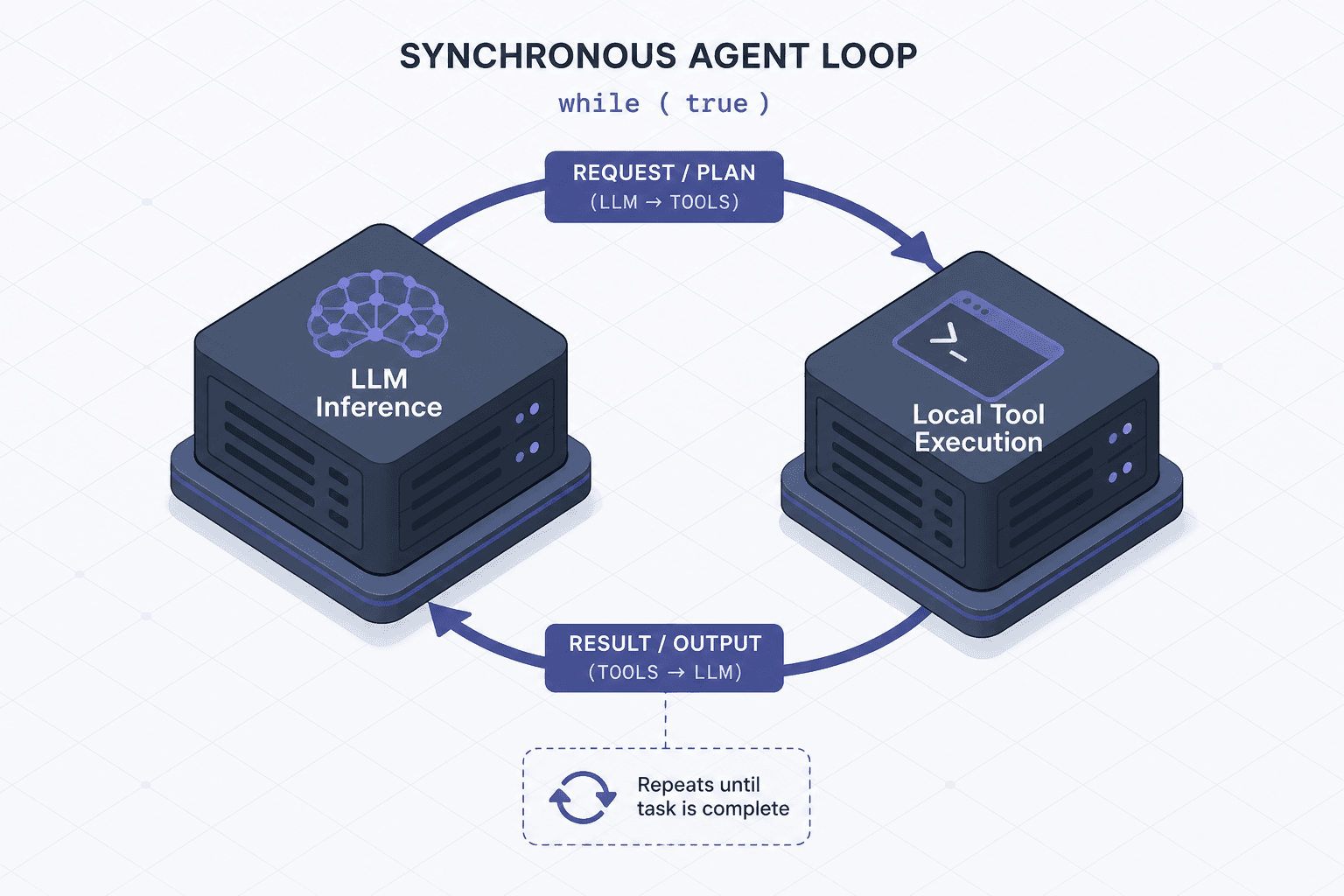
The Tool-Calling Loop, Implemented From Scratch
A technical walkthrough of implementing a tool-calling loop for AI agents from scratch, covering function calling, message history, and the agent loop.
Most developers encounter AI agents through high-level frameworks like LangChain or LlamaIndex. These abstractions hide the underlying mechanism: a simple, synchronous tool calling loop that alternates between calling an LLM and executing local code. By implementing this loop from scratch, we strip away the abstraction layer to reveal the deterministic mechanics of how AI agents reason and act.
This article details the implementation of a basic agent loop in Python, focusing on the interaction between the LLM API, function definitions, and message history management. We will build a system that can answer questions requiring external data by calling local functions.
The Core Loop Structure
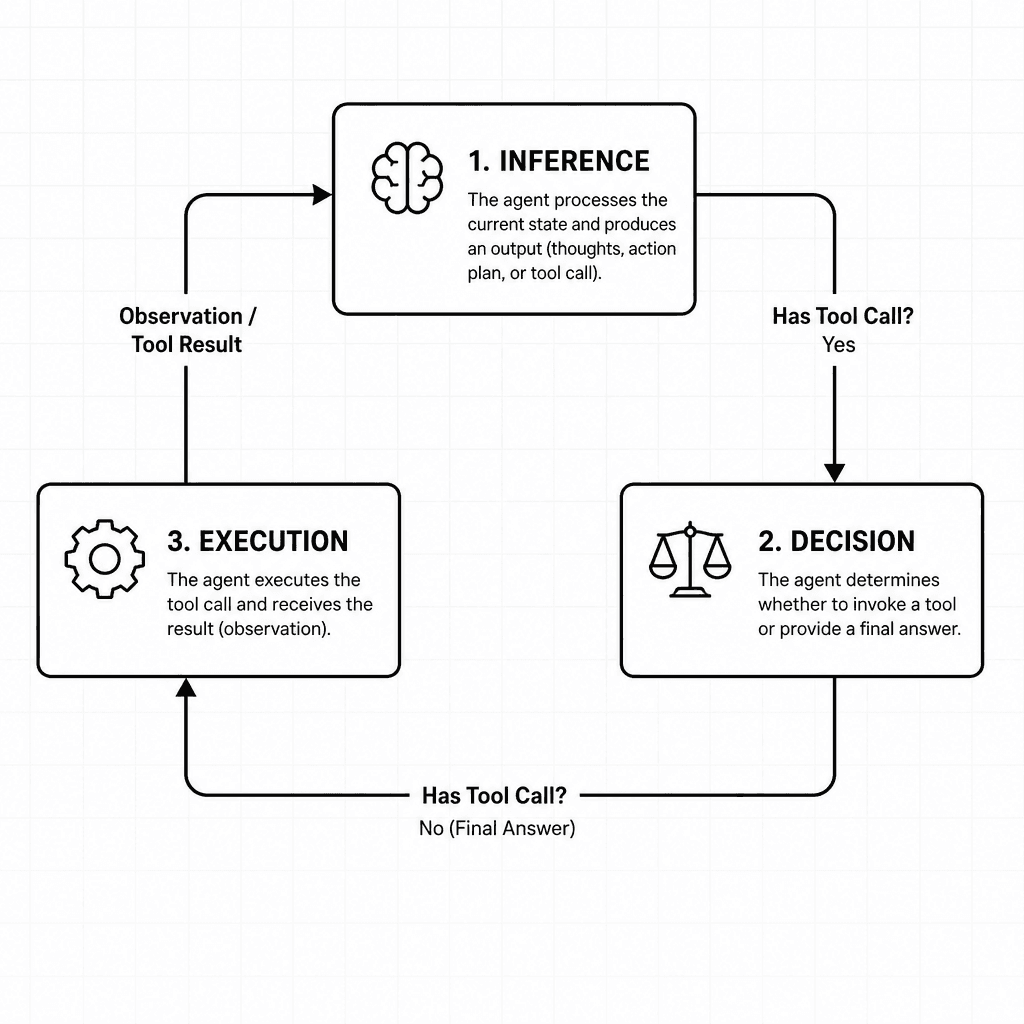
At its heart, an agent loop is a state machine. It maintains a list of messages (the context window) and iterates until a stopping condition is met. The loop has three distinct phases:
- Inference: Send the current message history to the LLM.
- Decision: Check if the LLM wants to call a tool or provide a final answer.
- Execution: If a tool is called, execute it locally and update the history. If not, return the final answer.
Let’s define the loop structure first. We need a list to hold messages, where each message is a dictionary with role, content, and potentially tool_calls or tool_call_id.
import json
import openai # Using OpenAI SDK as a reference implementation

def run_agent_loop(messages, tools, llm_client):
    """
    The core agent loop.
    :param messages: List of message dicts.
    :param tools: List of tool definition dicts.
    :param llm_client: Initialized LLM client.
    :return: Final assistant message.
    """
    while True:
        # Phase 1: Inference
        response = llm_client.chat.completions.create(
            model="gpt-4",
            messages=messages,
            tools=tools,
            tool_choice="auto"
        )

        message = response.choices[0].message

        # If the LLM returns no content and no tool calls, break
        if not message.content and not message.tool_calls:
            break

        # Phase 2: Decision & Execution
        if message.tool_calls:
            # Handle tool calls
            messages.append(message) # Add assistant's tool call request to history

            for tool_call in message.tool_calls:
                function_name = tool_call.function.name
                function_args = json.loads(tool_call.function.arguments)

                # Execute the function locally
                result = execute_local_function(function_name, function_args)

                # Phase 3: Augment History
                messages.append({
                    "role": "tool",
                    "tool_call_id": tool_call.id,
                    "content": str(result)
                })
        else:
            # Final answer provided
            return message.content
This loop is remarkably simple. The complexity lies in how the LLM decides to call a tool and how we manage the history.
Defining Tools: The Schema Contract
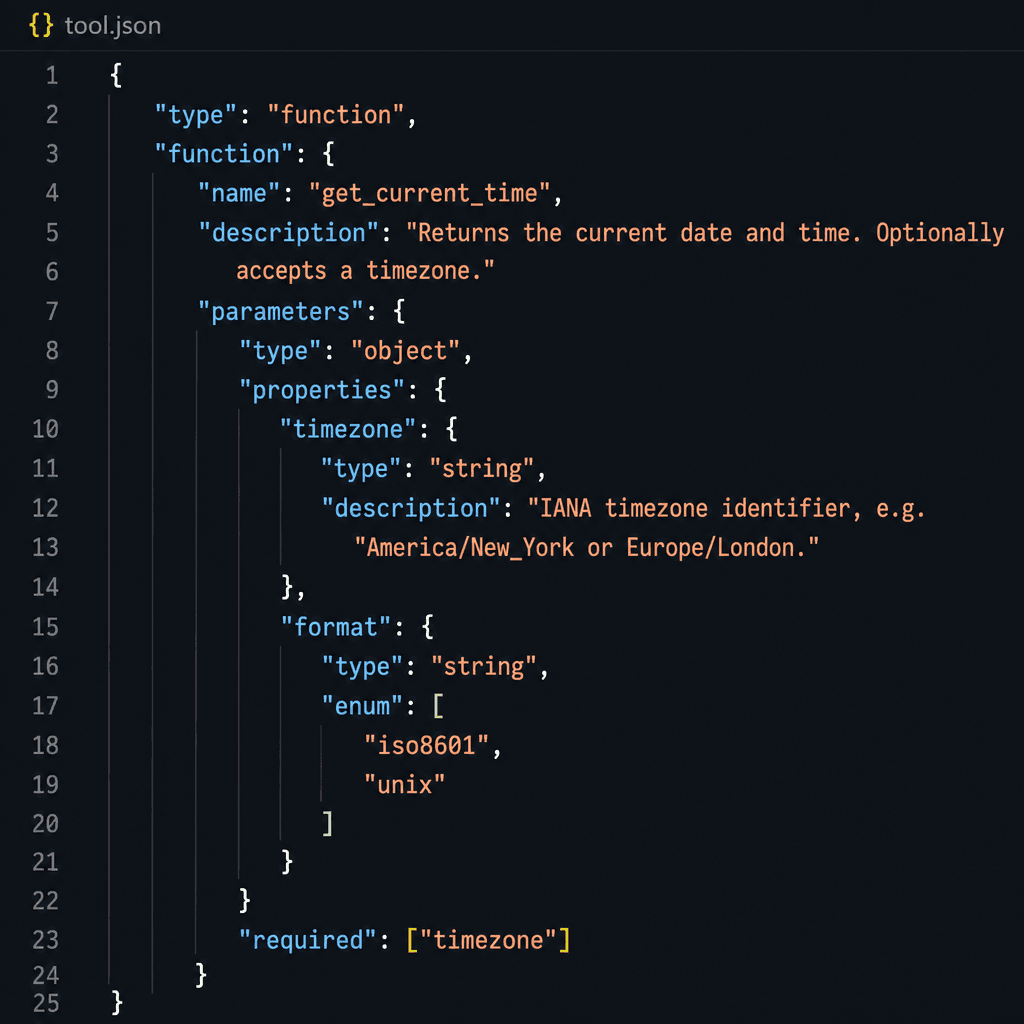
The LLM does not know what functions exist in your codebase. You must explicitly declare them. This is done via a JSON schema that defines the function name, description, and parameters.
Consider a simple scenario: an agent that needs to get the current time. We define the tool schema as follows:
tools = [
    {
        "type": "function",
        "function": {
            "name": "get_current_time",
            "description": "Get the current date and time in ISO format.",
            "parameters": {
                "type": "object",
                "properties": {},
                "required": []
            }
        }
    }
]
When we pass this tools array to the LLM API, the model’s prompt is internally augmented with this schema. The LLM learns that it can call get_current_time if the user asks about the time. This is known as function calling or tool use.
The key mechanism here is that the LLM outputs structured JSON for the arguments, not free text. This allows the client code to parse the arguments reliably and execute the function. This schema contract is essential for the stability of the agent loop, ensuring that the model always knows what tools are available and how to interact with them.
The Inference Step: Parsing Tool Calls
When the LLM decides to call a tool, it does not return a plain text response. Instead, it returns a tool_calls array in the response object. Each item in this array contains:
id: A unique identifier for this specific tool call, used later to link the result back to the call.function.name: The name of the function to execute.function.arguments: A JSON string of the arguments.
For example, if the user asks "What time is it?", the LLM might respond with:
{
  "role": "assistant",
  "content": null,
  "tool_calls": [
    {
      "id": "call_abc123",
      "type": "function",
      "function": {
        "name": "get_current_time",
        "arguments": "{}"
      }
    }
  ]
}
Notice that content is null. The LLM is saying, "I don't have an answer yet; I need to execute this function first." Our loop detects tool_calls is not empty and proceeds to execute the function. This parsing step is critical for reliable function calling, as it translates the model's intent into actionable code.
Local Execution and History Augmentation
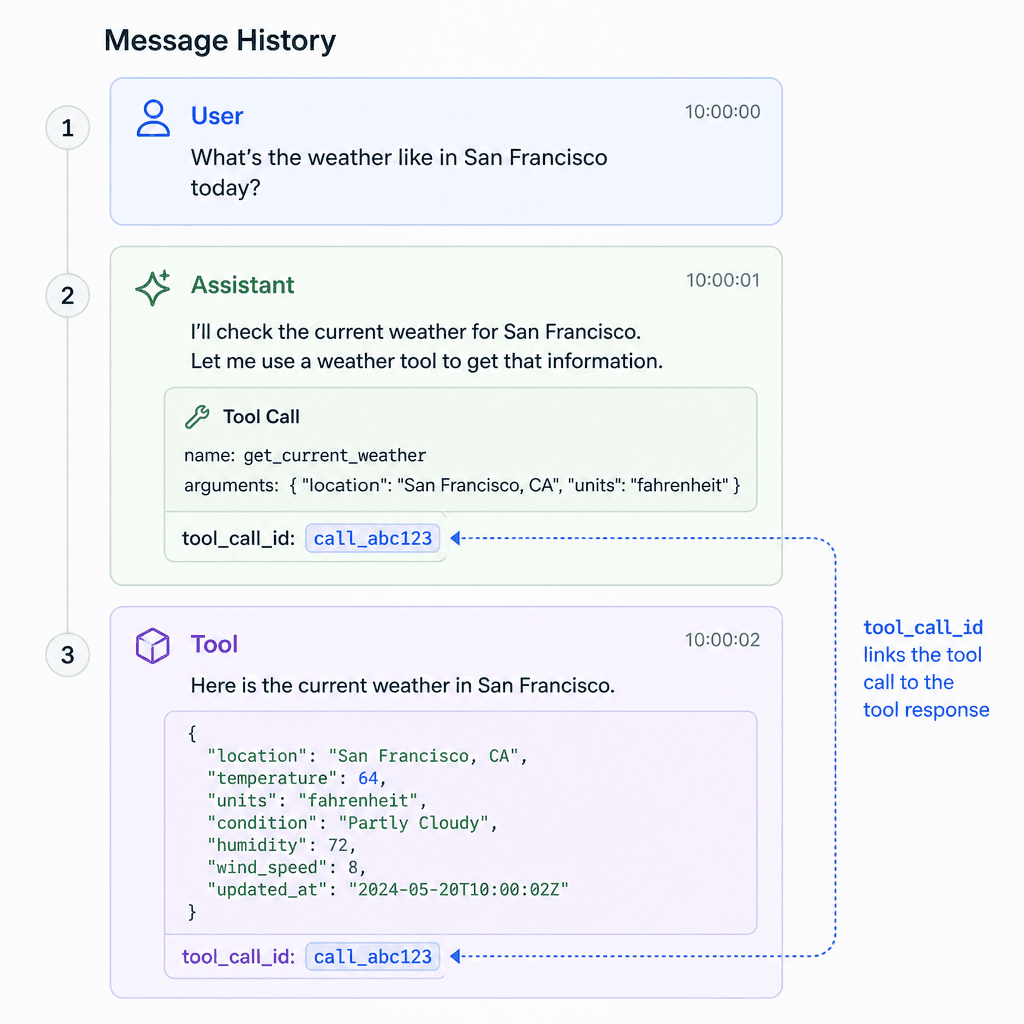
Once we have the function name and arguments, we execute the function in our local environment. This is where the "agent" part of the agent loop comes in. The LLM is passive; it only reasons. The local code is active; it performs actions.
import datetime

def execute_local_function(name, args):
    if name == "get_current_time":
        return datetime.datetime.now().isoformat()
    else:
        raise ValueError(f"Unknown function: {name}")
After execution, we must update the message history. This is critical. The LLM does not have memory between requests. We must explicitly feed it the result of the function call.
We append a new message to the messages list with:
role: "tool"tool_call_id: The ID from the original tool call.content: The stringified result of the function.
messages.append({
    "role": "tool",
    "tool_call_id": "call_abc123",
    "content": "2023-10-27T10:00:00"
})
Now, the history looks like this:
- User: "What time is it?"
- Assistant: (Calls
get_current_time) - Tool: "2023-10-27T10:00:00"
We then loop back to the top of the while loop. We send this updated history to the LLM. The LLM now sees the tool result. It can use this information to formulate a final answer. Proper management of this message history ensures that the context remains relevant and complete for subsequent inference steps.
The Final Response
In the next iteration of the loop, the LLM receives the history including the tool result. It recognizes that the tool call has been fulfilled. It no longer needs to call any tools. Instead, it generates a text response.
{
  "role": "assistant",
  "content": "The current time is 2023-10-27T10:00:00.",
  "tool_calls": null
}
Our loop detects that tool_calls is empty and content is present. It returns this content as the final answer. The loop terminates.
Why This Matters
Implementing the tool-calling loop from scratch reveals several important insights:
- Context Window Management: Every tool call and result consumes tokens. In complex agents with many steps, the history can grow rapidly. Understanding the loop helps you optimize context usage, such as by summarizing old tool results or truncating history.
- Error Handling: If a local function fails, you must catch the exception and append an error message to the history with
role: "tool". This allows the LLM to retry or provide a fallback answer. - Determinism: The loop itself is deterministic. The non-determinism comes from the LLM. This separation of concerns is powerful. You can unit test the loop logic independently of the LLM’s behavior.
Conclusion
The AI agent loop is a simple concept: ask, decide, act, repeat. By implementing it from scratch, you gain control over the process. You can add custom logic, handle errors gracefully, and optimize for performance. This foundational understanding is essential for building more complex agents that involve multiple tools, external APIs, and sophisticated reasoning steps.
As you move forward in building AI agents, remember that the framework is just a convenience. The core mechanism is the loop itself. Understand the loop, and you control the agent. Effective llm integration relies on this precise orchestration of inference and execution.
Related posts
Why Your Agent Loops Forever (and Five Fixes)
Understand why AI agents enter infinite loops and learn five practical fixes for tool failures and debugging.
Function Calling vs Structured Output: Choosing an Interface
A comparison of function calling and structured output for API design, helping backend developers choose the right interface for tool use and JSON mode.
Function-Calling Fine-Tunes: Teaching a Small Model Your Tools
Learn how to fine-tune small language models for reliable function calling and tool use by mining execution traces.
