AWS IAM Fundamentals: Users, Roles, Policies, and Best Practices
An examination of AWS IAM fundamentals covering users, roles, policies, and the principle of least privilege for cloud security.
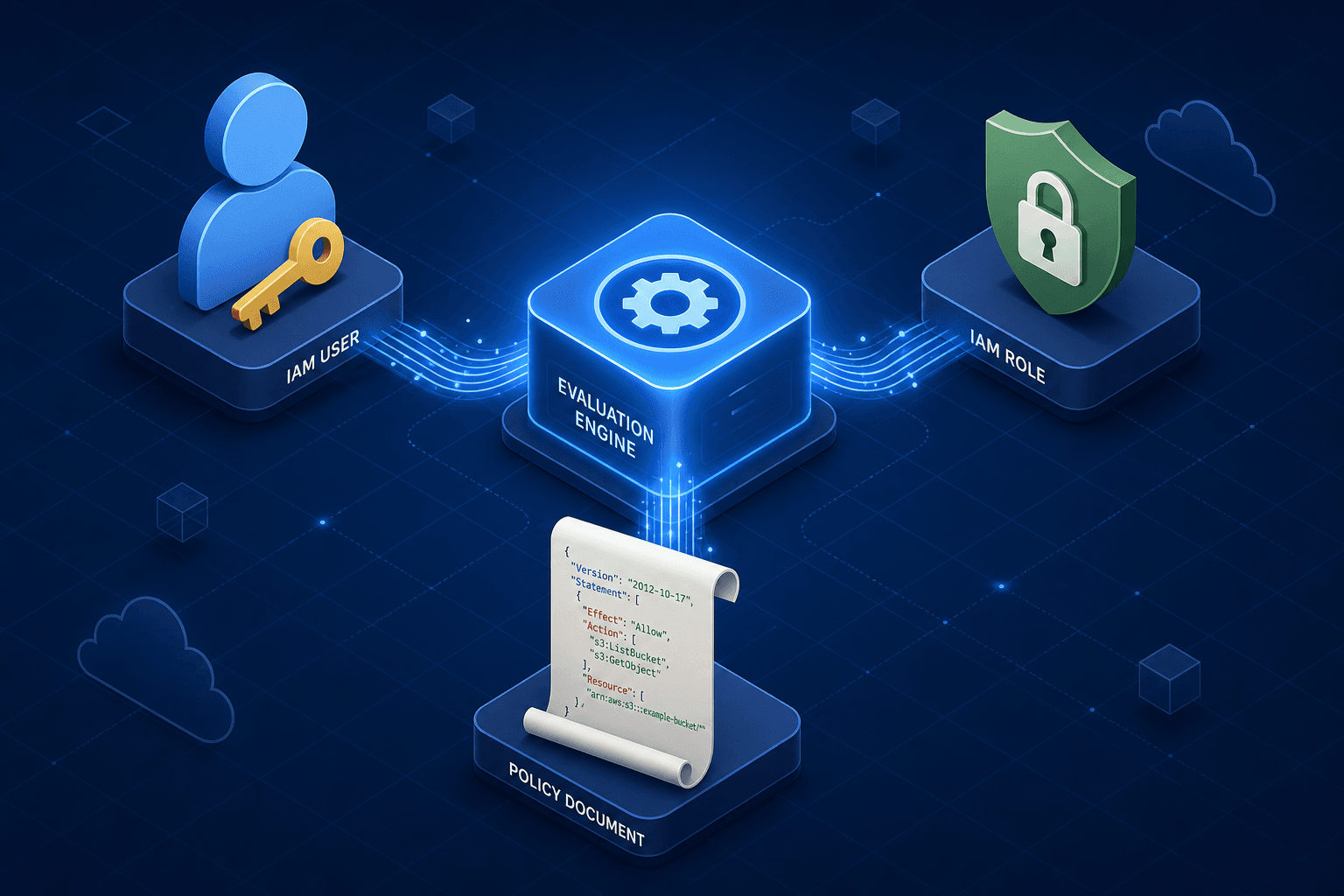
In the AWS ecosystem, security operates not as a static perimeter wall but as a continuous evaluation engine. Every API call triggers a synchronous decision process that determines whether a request proceeds or is blocked. This mechanism relies on three distinct components: the identity making the request, the permissions defining what that identity can do, and the context in which the identity is operating. Understanding how these components interact is critical for preventing unauthorized access, moving beyond simple compliance to active defense. This active defense posture requires a deep understanding of AWS access management, ensuring that every interaction is scrutinized against current policies rather than historical trust.
As the second part of the AWS IAM & Cloud Security Series, this article examines the strict separation of identity and context, the logic of policy evaluation, and the operational mechanics of role assumption. We will explore how IAM authentication establishes identity and how IAM authorization subsequently governs resource access, providing the foundation for a secure cloud architecture.
The Identity Boundary: Users vs. Roles
The first layer of the IAM architecture is the distinction between a User and a Role. A User represents a specific person or application with a permanent, long-lived identity within your AWS account. When you create a user, you are creating a persistent object in the IAM database that can be associated with access keys or passwords. These credentials are static; they do not expire unless explicitly rotated or disabled. In a process-level view, a User is a fixed key used to authenticate a specific actor. If an attacker steals an access key for a User, they possess that identity until the key is manually revoked.
A Role, by contrast, is not an identity in the traditional sense. It is a set of permissions (a policy) that can be assumed by a trusted entity. A Role does not have long-term credentials attached to it. Instead, it relies on the Security Token Service (STS) to issue temporary security credentials. This is the core mechanism for the principle of least privilege. When an application running on an EC2 instance needs to write to an S3 bucket, it does not carry a long-lived access key. Instead, the EC2 instance metadata service provides temporary credentials to the application, which are tied to an IAM Role.
Consider a scenario where a developer, Alice, needs to debug a production database. If Alice uses a User account with Admin permissions, her session remains active indefinitely. If she accidentally commits her access keys to a public repository, the damage is immediate and persistent. If Alice assumes an IAM Role named DevOpsDebugRole with only DescribeDBInstances permissions, and that role has a maximum session duration of one hour, the exposure window is strictly bounded. The workflow here is time-bound credential issuance, which automatically invalidates access after a defined period without manual intervention.
Policy Evaluation Logic
Permissions in AWS are defined by JSON documents called Policies. These policies are not executed sequentially like a firewall rule set; they are evaluated against a specific logic model known as the "Explicit Deny" override. When an API request is made, the IAM engine evaluates all applicable policies attached to the identity (or the assumed role).
The evaluation logic follows a strict hierarchy:
- Default Deny: If no policy explicitly allows the action, the request is denied.
- Explicit Allow: If a policy explicitly allows the action, the request is potentially approved.
- Explicit Deny: If any policy (attached to the user, group, or role) contains an explicit
Denystatement for that action, the request is immediately blocked, regardless of anyAllowstatements elsewhere.
This logic is enforced at the Action, Resource, and Condition level. An Action specifies the API operation (e.g., s3:GetObject). The Resource specifies the target (e.g., arn:aws:s3:::my-bucket/*). The Condition adds contextual constraints, such as requiring the request to come from a specific IP address or to use Multi-Factor Authentication (MFA).
Let's look at a concrete policy snippet. If a policy contains "Effect": "Allow" for "Action": "s3:*" and "Resource": "*", it grants broad access. However, if another policy attached to the same user contains "Effect": "Deny" for "Action": "s3:DeleteObject", the delete capability is removed. The engine does not sum permissions; it checks for the presence of a deny before granting allow. This mechanism ensures that even if a user has broad permissions via a group, a specific restriction can override it for a sensitive operation.
The Role Assumption Mechanism
The practical application of roles occurs through the sts:AssumeRole API call. This is the workflow that bridges the gap between a trusted entity and a set of permissions. When a principal (like an EC2 instance or a Lambda function) assumes a role, the STS service validates the trust relationship defined in the role's Trust Policy.
The trust policy is a specific type of IAM policy that defines who can assume the role. It uses the Principal element to specify an AWS account, a role, or an external identity provider (like Okta or Google). Once the trust is validated, STS generates a temporary security token consisting of an Access Key ID, a Secret Access Key, and a Session Token. These credentials are short-lived, typically ranging from 15 minutes to 12 hours, depending on the configuration.
In a serverless architecture, this is automated. When a Lambda function triggers, the AWS runtime retrieves temporary credentials from the local Instance Metadata Service (IMDS) and sets them as environment variables, rather than 'injecting' them. The function code does not need to know about the role or manage credentials. It simply makes API calls. The IAM engine sees the temporary credentials, identifies the assumed role, and evaluates the permissions attached to that role against the requested action.
This decoupling of identity and permission is crucial. The User (the human) logs in, but the Role (the temporary context) performs the work. If the human leaves the organization, you disable the User. The Role remains, but no one can assume it because the trust relationship is broken or the user's MFA status is revoked.
Common Pitfalls
Even with a solid understanding of IAM components, organizations frequently stumble into configuration errors that undermine security. Identifying these pitfalls early is essential for maintaining a robust security posture.
- Over-reliance on Wildcards: A common error is granting
s3:*or*permissions to simplify policy creation. While convenient, this grants access far beyond what is needed for a specific task, increasing the blast radius if credentials are compromised. Policies should always be scoped to specific actions and resources. - Failure to Rotate Access Keys: For
Useraccounts, access keys are a significant risk vector if left static. Many organizations neglect regular rotation schedules, leaving long-lived credentials exposed to potential theft. Automated rotation tools or limiting the use of access keys in favor of IAM Roles should be prioritized. - Neglecting MFA on Privileged Roles: High-privilege roles should never be assumed without Multi-Factor Authentication (MFA). Failing to enforce MFA requirements in the
Conditionblock of a trust policy or the attached permissions policy leaves the organization vulnerable to credential stuffing or phishing attacks.
Practical Takeaways
To operationalize these concepts effectively, adopt the following mental models and rules for your cloud infrastructure:
- Users for Humans, Roles for Systems: Treat
Usersas identities for people who log in directly, andRolesas identities for services, applications, and cross-account access. Never embed long-term credentials in code or application configurations. - Explicit Deny Overrides Allow: Remember that the presence of an
Allowdoes not guarantee access. Always check for explicitDenystatements, as they take precedence over all other permissions. - Least Privilege by Default: Start with no permissions and add only what is strictly necessary. Use conditions to restrict access based on time, IP address, or MFA status to further harden your environment.
FAQ
Q: What is the primary difference between an IAM User and an IAM Role? A: An IAM User has permanent, long-term credentials (passwords or access keys) and represents a specific person or service. An IAM Role does not have long-term credentials; instead, it is a set of permissions that can be temporarily assumed by a trusted entity, such as an EC2 instance or another AWS account.
Q: How does AWS handle long-term versus short-term credentials? A: Long-term credentials are associated with IAM Users and must be manually rotated or disabled when compromised. Short-term credentials are generated by STS when a Role is assumed; they automatically expire after a set duration (typically 1 hour), reducing the window of opportunity for attackers.
Q: Can I grant permissions to an external identity provider? A: Yes. By configuring a Trust Policy for an IAM Role, you can allow an external identity provider (such as Okta, Azure AD, or Google) to assume that role. This enables federated identity scenarios where users log in with their corporate credentials but access AWS resources using temporary IAM Role credentials.
Call to Action
Audit your current IAM roles immediately for the presence of wildcard permissions (*) in the Action or Resource fields. Review your EC2 instances and Lambda functions to ensure they are using attached IAM Roles rather than hardcoded access keys. By taking these steps, you align your infrastructure with the principle of least privilege and significantly reduce your attack surface.
Conclusion
AWS IAM is a mechanism of continuous evaluation, not a static list of permissions. The distinction between Users and Roles ensures that long-term credentials are minimized, while the Policy evaluation logic enforces strict control over actions and resources. The sts:AssumeRole flow allows for dynamic, temporary access that aligns with the principle of least privilege. By scoping policies to specific ARNs and utilizing conditions, organizations can build a security posture that is resilient to credential theft and misconfiguration. The goal is not just to grant access, but to define the exact boundaries within which that access operates, ensuring that every API call is validated against the most restrictive possible set of rules.
Related posts
Least Privilege in Practice
A practical guide to implementing least privilege in AWS using IAM Access Analyzer, policy generation, and condition keys for secure access management.
Implementing Dynamic Authorization with Cedar Policy Language (AWS)
A technical overview of implementing dynamic authorization using Cedar policy language and AWS Verified Permissions with ABAC.
Identity Federation Patterns: Multi-Cloud Identity Management
Examines identity federation patterns for multi-cloud identity management across AWS, Azure, and GCP to enhance cross-cloud security.